

Embroidery has come a long way from being just a craft of needle and thread. In today’s world, creativity meets technology through advanced embroidery software, making it possible to design, edit, and personalize projects with just a few clicks. Whether you’re a hobbyist adding a personal touch to home décor or a small business owner creating custom apparel, having the right software can make all the difference in both speed and quality.
One standout option for everyday embroiderers is the Brother BES Blue Software. Known for being affordable yet powerful, it focuses on lettering, monogramming, and design customization without overwhelming users with overly complex tools. It’s designed for those who want professional-looking results while keeping things simple and user-friendly.
In this blog, we’ll take a closer look at what Brother BES Blue offers, explore its features, discuss its benefits and limitations, and compare it with other popular embroidery programs. By the end, you’ll know exactly whether this software fits your embroidery needs. If you want to save time and resource then we offer professional digitizing services solution.
Key Features of Brother BES Blue Software
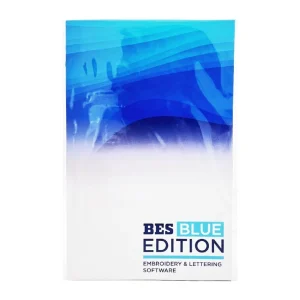
Brother BES Blue may be budget-friendly, but it comes packed with a wide range of tools that make embroidery editing and lettering simple yet powerful. Let’s break down the standout features that make this software appealing to hobbyists and small business owners alike.
1.Lettering and Monogramming
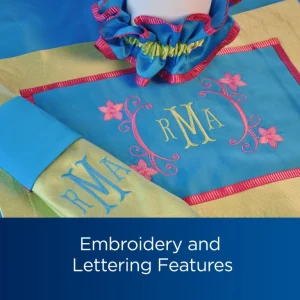
One of the biggest strengths of BES Blue is its lettering options. The software includes over 199 built-in fonts, giving you plenty of variety for different projects. From elegant scripts for wedding napkins to bold block letters for sports uniforms, the choices are wide. It also comes with monogramming tools, making it easy to create single-letter, two-letter, or three-letter monograms for personalized gifts like towels, bags, or baby clothes.
2. Design Editing Tools
BES Blue isn’t just about adding text, it also lets you edit and adjust existing embroidery designs. You can resize, rotate, mirror, and flip patterns without distorting the stitches. For those who like experimenting, it even allows you to change stitch types such as satin, fill, and applique. These tools give you the flexibility to tweak designs until they’re exactly the way you want them.
3. Built-in Designs and Templates
To help you get started quickly, the software comes with a collection of ready-made designs, borders, and frames. These templates are perfect for users who want professional-looking embroidery but don’t want to start from scratch. You can combine these designs with lettering for creative results in just a few minutes.
4. Color Management
Choosing the right thread color can make or break an embroidery design. BES Blue includes color management tools with built-in thread charts from popular brands. You can preview color changes on-screen before stitching, which saves time and reduces errors.
5. File Format Support
Compatibility is key, and BES Blue works smoothly with Brother embroidery machines. It supports popular formats like PES, PHC, and DST, making it easy to import designs from other sources or export projects directly to your machine.
In short, Brother BES Blue offers a strong mix of lettering, design editing, built-in templates, color management, and wide file compatibility, all wrapped in a user-friendly package.
Benefits of Using BES Blue
Ease of Use
One of the strongest advantages of Brother BES Blue is how easy it is to use. The interface is beginner-friendly, with simple menus and icons that make sense even if you’re new to embroidery software. Instead of spending weeks learning complicated functions, you can start editing and creating designs right away. This makes it especially appealing to hobbyists and small shop owners who don’t have time for a steep learning curve.
Cost-Effective
Compared to professional-grade software like Wilcom, BES Blue is far more affordable while still offering the tools that most users actually need. It focuses on lettering, monogramming, and customization, giving you professional results without the professional price tag. For beginners or small businesses watching their budgets, this makes it an attractive investment.
Time-Saving
With built-in templates, quick resizing options, and easy lettering tools, BES Blue helps speed up the design process. You don’t need to redraw or re-digitize everything from scratch. Whether you’re preparing a personal project or a customer order, the software cuts down the time it takes to go from idea to embroidery machine.
Creative Freedom
BES Blue gives users plenty of room to be creative. With nearly 200 fonts, multiple monogram styles, and built-in frames and borders, you can personalize projects with ease. Adding text, combining shapes, and adjusting stitch types are all straightforward, giving you the freedom to make each piece unique.
Limitations of BES Blue
While Brother BES Blue Software has plenty of advantages, it’s important to know its limitations before deciding if it’s the right tool for you.
Not a Full Digitizing Program
BES Blue is not a complete digitizing solution. It focuses mainly on lettering, monogramming, and editing existing designs. If you need advanced features like creating stitch files from complex artwork, you’ll need to use professional software such as Wilcom or Hatch. As one Reddit user mentioned, “BES is great for fonts and quick edits, but don’t expect it to do full digitizing jobs.”
Not for Complex Logo Digitizing
For hobbyists and small shops, BES Blue works well, but it falls short when it comes to detailed or intricate logo digitizing. It simply doesn’t have the advanced stitch tools required for highly detailed designs. A Reddit discussion summed it up with: “Good for personal projects, not for big commercial orders.”
Best with Brother Machines
Another limitation is compatibility. BES Blue is built to work seamlessly with Brother embroidery machines. While it supports formats like PES, DST, and PHC, the software is clearly optimized for Brother hardware. Users with other machine brands may find the experience less smooth.
Brother BES Blue vs Other Embroidery Software
When considering embroidery software, it’s helpful to see how Brother BES Blue compares with some of the bigger names in the industry.
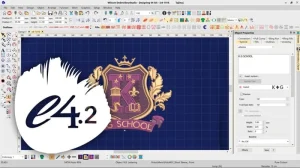
Wilcom Embroidery Studio E4
Wilcom is considered the gold standard for professional digitizing. It has advanced tools for creating complex logos, textures, and stitch effects that BES Blue simply doesn’t offer. However, it comes with a steep learning curve and a very high price tag. For small businesses or hobbyists, Wilcom may feel like overkill.
Hatch Embroidery Software
Hatch is another powerful program developed by Wilcom, but designed for a broader audience. It’s feature-rich and easier to use than Wilcom E4, offering auto-digitizing, editing, and customization tools. The downside is cost—it’s still much more expensive than BES Blue, which makes it less attractive for someone who just wants to focus on lettering or basic personalization.
Brother BES 4 Dream Edition
This is Brother’s more advanced software, packed with additional features like wireless design transfer. It’s a step up from BES Blue, but also comes at a higher price. It’s best for users who want to stay within the Brother ecosystem but need extra convenience and functionality.
Why Choose BES Blue?
Compared to these options, BES Blue stands out as budget-friendly and beginner-focused. It delivers the essential tools, lettering, editing, monogramming, without overwhelming users or requiring a huge investment. For home embroiderers and small shops, it offers excellent value without unnecessary complexity.
| Software | Best For | Key Features | Price Range | Ease of Use | Limitations |
|---|---|---|---|---|---|
| Brother BES Blue | Beginners, hobbyists, small shops | 199+ fonts, monogramming, editing, templates, color management, supports PES/DST/PHC | 💲 Budget-friendly | ⭐⭐⭐⭐ Easy | Not full digitizing, best with Brother machines |
| Wilcom Embroidery Studio E4 | Professional digitizers, large businesses | Advanced digitizing, complex logo creation, textures & stitch effects | 💲💲💲 Very Expensive | ⭐⭐ Steep learning curve | Overkill for hobbyists |
| Hatch Embroidery Software | Serious hobbyists & small businesses | Auto-digitizing, advanced editing, wide format support, flexible modules | 💲💲 Mid-to-High | ⭐⭐⭐ Moderate | Costly compared to BES Blue |
| Brother BES 4 Dream Edition | Brother machine owners needing wireless transfer | Wireless design transfer, expanded library, advanced tools | 💲💲 Mid-range | ⭐⭐⭐⭐ Easy | Higher cost than BES Blue, still limited to Brother ecosystem |
Who Should Use BES Blue?
Hobby Embroiderers
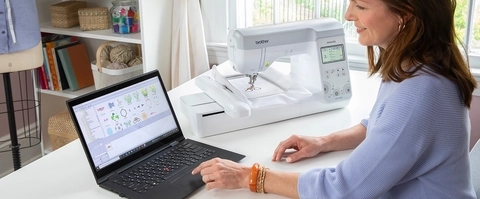
BES Blue is an excellent choice for hobbyists who want embroidery software that’s simple and fun to use. With its large library of built-in fonts and templates, it allows users to add text or monograms without worrying about complicated digitizing tools. Beginners can start personalizing projects almost immediately.
Small Business Owners
For small embroidery shops that mainly deal with lettering, uniforms, or monogrammed products, BES Blue provides an affordable and efficient solution. It speeds up tasks like resizing, adding text, and editing designs, which means faster turnaround times for customers. While it’s not built for highly detailed logo digitizing, it covers the majority of everyday customization needs.
Crafters and DIY Enthusiasts
Crafters who enjoy creating personalized gifts such as towels, tote bags, and baby clothes will also find BES Blue valuable. It makes quick personalization easy, allowing creative projects to look professional without requiring advanced software or training.
Tips to Get the Most Out of BES Blue
Explore Fonts and Templates
BES Blue comes with nearly 200 fonts and plenty of ready-made templates. Take time to explore these options—you’ll discover creative ways to personalize projects without starting from scratch.
Use Thread Charts for Accuracy
Color accuracy can make a big difference in embroidery. The built-in thread charts help you match your design colors with popular thread brands, ensuring the stitched result looks as polished as it does on screen.
Combine with Other Software if Needed
While BES Blue handles lettering and editing well, it isn’t a full digitizing program. If you need advanced logo creation or complex stitch editing, consider pairing it with professional software like Wilcom or Hatch. This combination gives you both simplicity and power.
Conclusion
Brother BES Blue is proof that embroidery software can be both affordable and user-friendly. With its wide font selection, simple editing tools, and built-in templates, it’s ideal for beginners, hobbyists, and small businesses that focus on lettering and monogramming. It offers creative freedom without the steep cost or complexity of professional programs.
If you’re just starting out, BES Blue is a smart choice to make embroidery projects faster and more enjoyable. And for designs that require advanced digitizing, you can always turn to professional services like Absolute Digitizing to get high-quality, ready-to-stitch files.