Embroidery digitizing is changing fast. It is not only about turning a logo into stitches anymore. Now it is more like planning for real production: making files that sew clean, finish faster, and need fewer fixes. This is happening for two big reasons. First, digitizing software keeps adding smarter tools that help speed up the work. Second, customers want quick results and consistent embroidery that looks the same on every item, not “good on screen but messy on fabric.”
Still, trends do not work the same for every type of embroidery. A design that runs great on a cap might not work on a soft, stretchy shirt. Embroidered patches also follow different rules for borders, density, and clean edges. In this blog, you will learn six embroidery digitizing trends to watch in 2026, what they look like in real projects, and what to change this year to stay ready.
You’ll also learn why hiring professional embroidery digitizing services is a smart choice that can save you time and boost your production
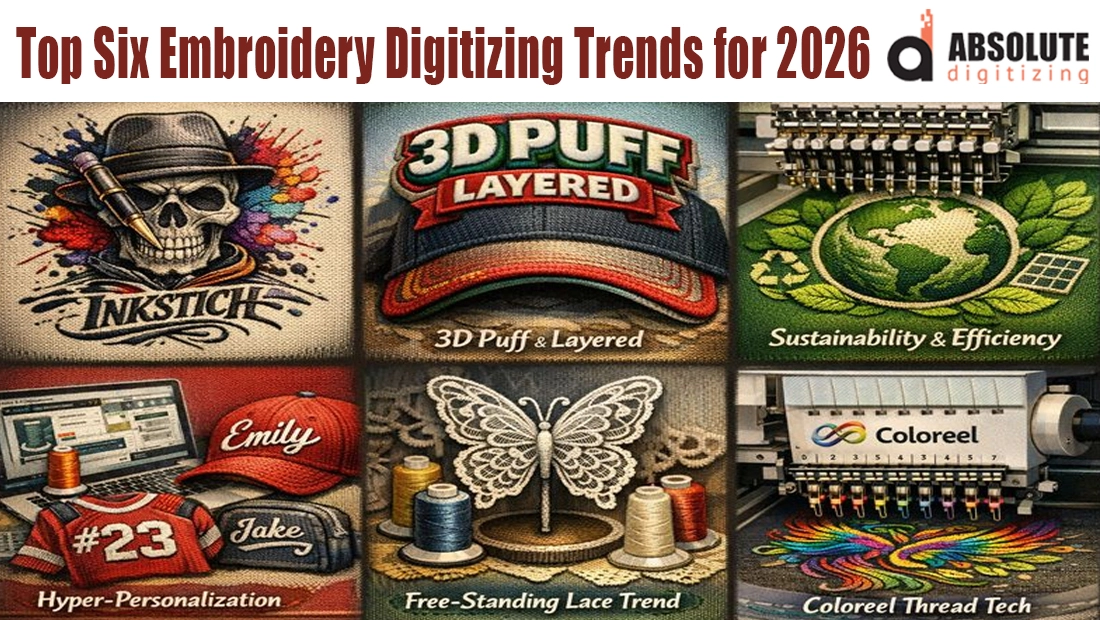
- Trend 1: AI-assisted digitizing becomes normal
- Trend 2: Texture-first embroidery: 3D puff, layered blends, and appliqué keep growing
- Trend 3) Sustainability and efficiency through smarter stitch planning
- Trend 4) Hyper-personalization at scale (names, numbers, small batches, online orders)
- Trend 5) FSL (Free-Standing Lace) is rising as a high-margin niche
- Trend 6) Coloreel instant thread-coloring tech is changing how “multi-color” embroidery is produced
- How to prepare your digitizing workflow for 2026 (Practical checklist)
- Conclusion
Trend 1: AI-assisted digitizing becomes normal
What’s changing
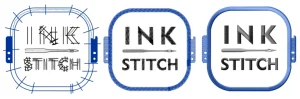
Most major embroidery software now includes “smart” auto-digitizing tools that can turn artwork into a first stitch draft fast. You see this in Wilcom EmbroideryStudio, Hatch, Tajima DG (Pulse), and Brother PE-DESIGN with features like auto-digitizing, auto-sequencing, and photo-to-stitch tools. On the free side, Ink/Stitch (an Inkscape extension) also gives hobbyists a way to digitize without paying for expensive software, and it keeps improving. The big shift is that “first draft digitizing” is getting easier, so the real advantage moves to what happens after that: making the file sew perfectly in real life.
What digitizers should do
Use AI/automation for the rough build: base shapes, base paths, early stitch-type suggestions, quick sequencing ideas, and fast variations (like fewer colors). Then rely on human skill for the parts that decide quality: underlay strategy, push-pull compensation, density control, and fabric-specific settings. That human step is essential and it matters more than ever.
Common mistake
Thinking auto-digitizing is production-ready. It often fails on caps, stretchy polos, tiny lettering, and detailed pet fur unless a human rebuilds the structure and cleans up problem areas.
Mini example
A left-chest logo on a polo can run clean with lighter settings. The same logo on a cap front usually needs different underlay, stronger pull compensation, and smarter sequencing because caps are curved and behave differently.
Why hiring a professional is often the better choice
Auto tools and software like Ink/Stitch can be great for learning, but the hidden cost is time, test stitch-outs, thread breaks, and rework. A professional digitizer is paid to prevent those problems before you ever hit “start,” especially on hard jobs like caps, tiny text, patches, and realistic pet designs. If you want clean results fast, outsourcing digitizing usually costs less than the time and material you lose fixing “almost correct” files.
Trend 2: Texture-first embroidery: 3D puff, layered blends, and appliqué keep growing

What’s changing
More embroidery today is about texture you can feel, not just a flat logo. 3D puff is spreading beyond the classic “cap front” look. People want raised letters on hoodies, jackets, and even bold chest designs because it looks premium and pops in photos. At the same time, digitizing styles like layered fills, overlapping satin, and color blends are being used more to create depth, shading, and a richer finish. You also see more appliqué because it covers large areas without making the design heavy. Instead of filling a big shape with thousands of stitches, you can lay fabric down and stitch the edge clean, which saves time and keeps the garment softer.
What digitizers should do
When texture is the goal, you have to plan like an engineer. For 3D puff, you need stitch stacking (enough top stitches to cover foam), underlay that supports height, and clean edges so the foam does not get “chewed up.” For layered blends and appliqué, you need smart sequencing so layers sit clean, and edges stay crisp instead of shifting.
Build a simple “texture checklist”
-
Density (not too heavy)
-
Pull compensation (so edges stay full)
-
Tie-ins and tie-offs (so stitches don’t unravel)
-
Trims (reduce messy jump stitches)
-
Edge walk / outline (clean borders)
-
Sequencing (what runs first, second, last)
-
Stitch angle (controls shine and coverage)
Pitfalls to avoid
Too much density can cut foam, make patches stiff, and cause thread breaks. Wrong stitch angles can create weird shine, gaps, or messy edges, especially on letters and curved shapes. Hire Professional Embroidery Digitizing Services for best results.
Trend 3) Sustainability and efficiency through smarter stitch planning
What’s changing
Sustainability is a bigger topic now. Embroidery is often seen as long-lasting decoration when it’s done well. But in digitizing, the real trend is efficiency. Software keeps adding tools that cut extra steps. That includes fewer color changes, cleaner sequencing, and faster exporting. The goal stays the same: quicker runs, fewer errors, and less waste.
What digitizers should do
Digitize with machine time in mind. Aim for fewer trims and jumps. They can create loose threads and slow everything down. Use smarter sequencing. Keep the needle from traveling too much. Reduce thread changes when you can. If a design looks almost the same with fewer colors, that is a win.
A strong move for 2026 is offering efficient alternatives. Give clients two versions:
-
Standard version: full detail, more colors
-
Efficient version: same look, fewer colors, fewer trims, smoother run
Reality check
“Sustainable” can become a buzzword. If you want it to mean something, measure it. Track stitch count and run time. Track trims, thread breaks, rejects, and re-runs. Results matter more than claims.
Trend 4) Hyper-personalization at scale (names, numbers, small batches, online orders)
What’s changing
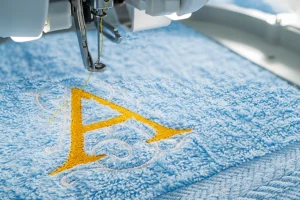
Personalized embroidery keeps growing because it sells. People love items that feel “made for me,” like names on hoodies, numbers on jerseys, custom baby gifts, company uniforms, pet items, and small brand drops. At the same time, online ordering makes small batches more common. Instead of one big order of the same logo, many orders are now “same design, but different name or number.” That creates more digitizing work, more approvals, and more chances for mistakes.
Software is also getting better at the everyday stuff that makes personalization easier. Lettering tools are improving, alphabets are easier to manage, and creating quick variations is faster than before. The point is not just making a design. It is making dozens of clean versions without losing quality or time.
What digitizers should do
Build a simple personalization pipeline so the process stays fast and consistent:
-
Set lettering rules (spacing, thickness, and style)
-
Set minimum size standards (so text stays readable)
-
Decide satin vs fill thresholds (when to switch so it sews clean)
-
Use quick proof templates (same layout every time, less confusion)
Also offer tiered turnaround, like standard vs rush. Make the revision scope clear, for example: “name spelling changes are free, full layout changes are extra.” That protects your time and keeps the process smooth.
Common mistakes
Tiny satin text without proper underlay is one of the biggest causes of ugly lettering. Another mistake is offering too many font choices. It sounds nice, but it slows clients down and creates more revision loops. A smaller, curated set of fonts usually works better.
Trend 5) FSL (Free-Standing Lace) is rising as a high-margin niche
What’s changing
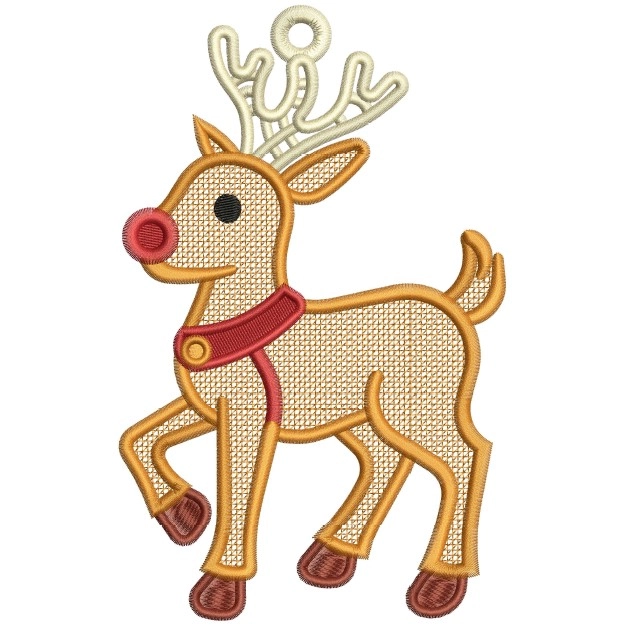
FSL is not a logo trend, it’s a product trend: ornaments, bookmarks, bridal motifs, accessories, gift items, and decorative lace pieces. The design is stitched on water-soluble stabilizer, then the stabilizer is dissolved so the final result is lace made only from thread. Because it looks premium and “handmade,” FSL sells well in seasonal drops and gift-style collections.
What it means for you
FSL rewards specialists because it is stitch-heavy and can fail if the structure is weak. If connector bridges are too thin, tie-ins are poor, or reinforcement points are missing, the lace can tear, curl, or break during wash-away and handling. It also needs its own rules: minimum connector thickness, balanced stitch directions, controlled jumps, clean trims, and clear handling instructions for stabilizer dissolving and drying.
Why hiring professional digitizing services is smart for FSL
FSL is one of those categories where “almost right” is still a failure. A professional digitizer builds the file like a product, not like a normal fill design: they engineer the lace so it holds together after the stabilizer is removed, stays flat, and survives handling. That saves you time on trial-and-error, reduces thread waste and machine downtime, and prevents customer complaints from breakage or distortion. If you want FSL that stitches clean the first time and looks premium, outsourcing to a specialist is usually cheaper than repeated failed stitch-outs.
Trend 6) Coloreel instant thread-coloring tech is changing how “multi-color” embroidery is produced
What’s changing
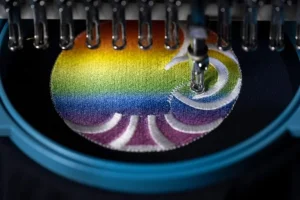
Coloreel is promoting real-time thread dyeing during embroidery. Instead of switching multiple thread cones, the system dyes a base thread as the machine runs, so you can stitch complex designs with far fewer thread changes, including multi-color effects and gradients.
Why it matters in 2026
-
Faster setup for multi-color jobs: Less re-threading can mean less downtime, especially for short runs, personalization, and micro-batches.
-
Higher expectations for exact brand colors: When technology claims on-demand color control, customers become less tolerant of “close enough.”
-
More premium effects become feasible: Gradients and photo-style transitions become more practical when you are not limited by how many spools you can load.
What to watch out for (so you don’t overpromise)
-
Not everyone will have the hardware. Many clients will still run traditional thread-based production for years, so you still need standard deliverables.
-
Deliverables may change for some clients. If a client uses this system, they may want a different export format or a Coloreel-ready workflow, not just a normal DST.
-
Gradient-ready digitizing is a skill, not a button. Poor sequencing, wrong density choices, or messy transitions can still stitch badly, even with advanced tech.
Why hiring professional digitizing services is smarter here
This kind of technology can reduce thread limitations, but it does not fix the fundamentals. A professional digitizer builds designs with production logic: cleaner sequencing, fewer unnecessary trims, stable stitch paths, and smooth transitions for gradient-style artwork. That saves machine time, reduces rework, and helps you deliver consistent results when clients expect “high-end” color accuracy.
How to prepare your digitizing workflow for 2026 (Practical checklist)
If you want faster turnaround and fewer problems, tighten your workflow with a simple checklist.
1) Standardize your intake
Before you digitize, collect the basics every time: the best-quality artwork, the final size, the fabric type, and where it will be stitched (cap, left chest, sleeve, patch). Also note machine limits like hoop size, number of needles, and minimum text size. Missing details here is the #1 reason for rework later.
2) Create a quick QA routine
Do a fast quality check before you deliver the file. Confirm the design size, run a density “sanity check,” review trims and jumps, and make sure tie-ins and tie-offs are clean. If possible, do a test stitch for new styles or difficult fabrics, even if it is just a small sample.
3) Build three preset profiles
Make three go-to settings: caps, left chest polos, and patches. Each should include your usual underlay, density ranges, and pull compensation. This keeps results consistent and saves time.
4) Decide what to automate vs manual
Use auto tools for the first draft and quick variations. Always do underlay, pull compensation, tiny text, and final sequencing by hand. That is where quality is won or lost.
Conclusion
Embroidery digitizing in 2026 is all about smarter, cleaner production. AI-assisted tools will help build faster first drafts, but quality control will matter more than ever. Cloud workflows will keep files organized and make previews and approvals easier. Texture-first embroidery like 3D puff, layered blends, and appliqué will keep growing because people want bold, premium looks. Efficiency will become a bigger focus too, with smarter sequencing and fewer trims and color changes to reduce mistakes and wasted time. And personalization will keep scaling, so having a simple pipeline for names, numbers, and small batch orders will be a must.
If you want production-ready embroidery files fast, with clean stitch outs and revision support, get an instant free quote at Absolute Digitizing Same-day turnaround is available, and rush service can be done in as little as 2 hours.