
| Quick Summary |
|---|
Ricoma Chroma, Wilcom, and Ink/Stitch help users create machine-ready embroidery files in different ways.
|
Embroidery software helps you turn logos, artwork, and creative ideas into files your machine can read. Ricoma Chroma, Wilcom, and Ink/Stitch all do this job, but they are not built for the same user.
For example, Chroma works well for easy editing and daily projects. Wilcom fits skilled digitizers who need deeper control. Meanwhile, Ink/Stitch helps beginners practice without paying for software.
Still, not every design is easy to digitize. Absolute Digitizing provides professional embroidery file digitizing, so your designs can stitch cleaner, run smoother, and save you time on customer orders.
Ricoma Chroma: Features, Pricing, and Who It’s For
Chroma, developed by the embroidery machine experts at Ricoma, is a digitizing tool built for hobbyists, small business owners, and professionals. Its three versions—Inspire, Plus, and Luxe—scale up in features as you move through the price tiers. Whether you’re just getting started or need advanced features, Chroma has you covered.

Key Features of Ricoma Chroma
- Auto-Digitizing Magic
Not everyone is an embroidery wizard, but Chroma’s auto-digitizing makes you feel like one. Simply upload your design, and the software works its magic, converting images into machine-readable embroidery files. While this feature is perfect for simple designs, complex ones may still require manual tweaking. - Cross-Platform Compatibility
Unlike many embroidery software programs that only work on Windows, Chroma runs smoothly on both Windows and Mac. So, whether you’re a PC or Mac fan, you’re good to go. - Cloud Storage
Have you ever lost a design? Chroma eliminates that nightmare by offering cloud-based storage. Your files are accessible wherever you are, making it great for users who work on the go. - Powerful Editing Tools
Chroma doesn’t stop at auto-digitizing. You can fine-tune every detail of your design. Adjust stitch angles, tweak densities, and customize patterns with ease. - Extensive Font Library
Fonts can make or break a design. Chroma gives you access to a wide range of pre-digitized fonts, allowing you to create professional lettering effortlessly. - Multiple File Formats
Compatibility is key. Chroma supports numerous file formats like DST, PES, and EXP, making it easy to work with a variety of embroidery machines. - Affordable Pricing
Unlike high-end software like Wilcom, Chroma’s one-time payment structure makes it budget-friendly. You get solid features without a subscription burden.

Pricing for Ricoma Chroma
Chroma’s three versions cater to different user levels:
- Inspire: $639 – Best for beginners and hobbyists.
- Plus: $1,439 – Ideal for small businesses looking for more customization tools.
- Luxe: $1,999 – Designed for professionals who need advanced features.
Financing options are available, and all plans include free updates and training resources. It’s a one-time investment, so you won’t face monthly subscription fees.
Wilcom EmbroideryStudio: Features and Pricing
Wilcom Embroidery Studio is the industry standard for professionals. It’s a powerhouse of advanced tools, offering incredible control over digitizing. If you’re running a high-end embroidery business, this software is built for you.
Key Features of Wilcom
- Pro-Level Digitizing
Wilcom is known for its advanced digitizing tools. From intricate stitch editing to creating stunning 3D effects, this software offers complete creative control. - CorelDRAW Integration
The software comes with CorelDRAW, allowing you to combine graphic design and embroidery seamlessly. - Extensive Font Options
With over 228 professionally digitized fonts, Wilcom ensures your text designs are flawless. - Library Management
Organize your designs efficiently with Wilcom’s built-in library. Search, save, and sort designs with ease.
Pricing for Wilcom EmbroideryStudio
Wilcom offers two main tiers:
- Decorating Level: £2,199 – Includes essential digitizing tools.
- Designing Level: £3,499 – Offers advanced features for professionals.
- Monthly Subscription: £99/month – Access the full suite without a massive upfront cost.
However, it’s Windows-only and might feel intimidating for beginners due to its complexity.
Ink/Stitch: The Free, Open-Source Option
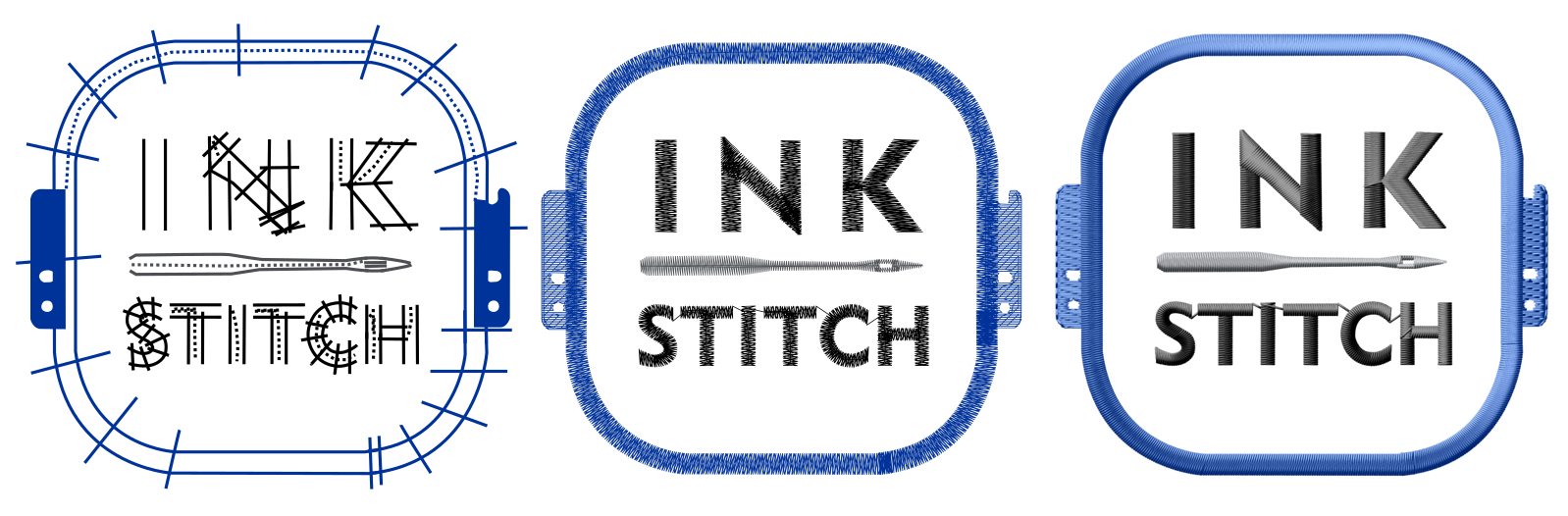
If you’re on a tight budget, Ink/Stitch is the best place to start. It’s the only free embroidery digitizing software available for download, making it perfect for hobbyists and DIY crafters.
Key Features of Ink/Stitch
- Cost-Free Creativity
Ink/Stitch is free and open-source, so there’s no financial commitment. It’s supported by a community of developers who keep it improving. - Wide Compatibility
Ink/Stitch works on Windows, Mac, and Linux, giving it an edge over Wilcom for non-Windows users. - Basic Editing Tools
While it lacks the advanced features of Chroma and Wilcom, it covers the basics well, including manual stitch placement and text creation. - Community Support
With user forums and documentation, you can find help when you need it.
Head-to-Head Comparison

Here’s how these three software options stack up in key areas:
| Feature | Ricoma Chroma | Wilcom EmbroideryStudio | Ink/Stitch |
|---|---|---|---|
| Ease of Use | Beginner-friendly; clean interface. | Advanced, steep learning curve. | Moderate learning curve due to Inkscape integration. |
| Pricing | $639–$1,999 (one-time payment). | £2,199–£3,499 or £99/month. | Free and open-source. |
| Compatibility | Windows and Mac. | Windows only. | Windows, Mac, and Linux. |
| Auto-Digitizing | Yes, simple and effective. | Yes, with advanced controls. | Limited to manual digitizing. |
| Advanced Editing | Available in Plus and Luxe. | Extensive, pro-level tools. | Basic tools only. |
| Cloud Storage | Yes, included in all versions. | No. | No. |
| Font Library | Up to 250 pre-digitized fonts. | Over 228 professional fonts. | Limited pre-digitized fonts. |
Who Should Use Each Software?
- Ricoma Chroma:
Perfect for small business owners, hobbyists, and professionals who value user-friendliness and affordability. Mac users will love it, and its cloud storage is a bonus for those on the go. - Wilcom EmbroideryStudio:
Ideal for advanced professionals who demand detailed control and don’t mind the hefty price tag. If you’re running a large-scale embroidery business, this is your go-to. - Ink/Stitch:
A great choice for hobbyists or beginners exploring embroidery on a budget. It’s free, but its features are limited compared to Chroma and Wilcom.
Why Absolute Digitizing is the Smart Choice for Your Embroidery Projects
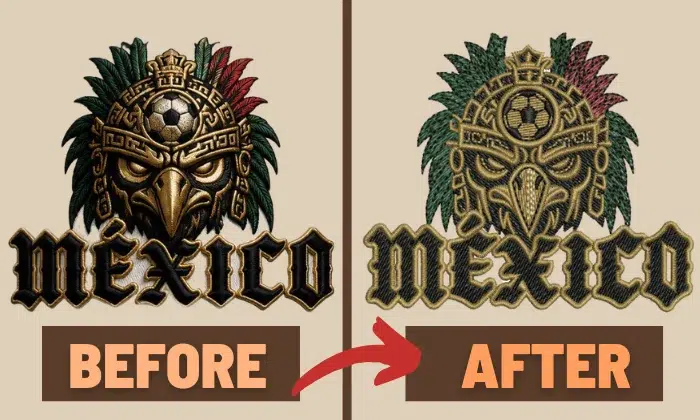
Learning embroidery digitizing takes time, effort, and patience—it’s a skill that can take months or even years to master. If you’re just starting out, why spend countless hours figuring out the basics when Absolute Digitizing can take the burden off your shoulders? For as low as $15, you can get your designs digitized with precision and delivered within 4 to 12 hours. Need a rush job? No problem! We offer a 2-hour turnaround with the same high quality, backed by a money-back guarantee. Plus, we provide free edits until you’re 100% satisfied, ensuring your designs come out exactly the way you want them.
Even if you’re experienced in digitizing, think about how much time you spend on it—time that could be better spent managing and growing your business. Absolute Digitizing helps you focus on what matters while delivering expert-level digitized designs that are ready to embroider. Instead of investing in expensive embroidery software to unlock full features, why not save that money and outsource your digitizing jobs to a reliable partner?
Here’s what sets Absolute Digitizing apart:
- Affordable Pricing: Digitizing starts at just $15 for left chest and cap designs.
- Quick Turnaround: Standard delivery within 4 to 12 hours; rush jobs in as little as 2 hours for an additional $10.
- Money-Back Quality Guarantee: Your satisfaction is our priority.
- Free Unlimited Edits: We make changes until you’re happy with the final product.
- Expertise in Complex Designs: We handle intricate and challenging designs with ease.
- Volume Discounts: Get significant discounts—up to 50%—on orders above 100 per month.
- 24/7 Live Chat Support: Connect with us anytime for queries or updates.
- Excellent Reviews: Highly rated by customers on Google and Trustpilot.
Don’t let digitizing slow you down or weigh on your budget. Outsource your embroidery digitizing needs to Absolute Digitizing, and let us turn your ideas into reality while you focus on growing your business!
Final Verdict
Choosing the right embroidery software comes down to your needs and budget. If you’re looking for a well-rounded tool that’s easy to use, affordable, and packed with features, Ricoma Chroma is a fantastic choice. Wilcom is unbeatable for pro-level control, but its cost and complexity can be a barrier. Ink/Stitch is perfect for getting started without spending a dime.
So, what’s your embroidery dream? Whether you’re crafting gifts for family or running a thriving business, there’s software to make it happen. Dive in and let your creativity soar!
Frequently Asked Questions
Yes, Ricoma Chroma works well for beginners because it has a clean interface, auto-digitizing tools, and helpful editing features. It also supports both Windows and Mac.
Wilcom is better for advanced digitizers who need full stitch control, detailed editing, and pro-level features. However, Ricoma Chroma may be better for users who want easier software at a lower cost.
Ink/Stitch is good for simple designs, practice, and basic digitizing. However, it has fewer advanced tools than Ricoma Chroma and Wilcom, so complex designs may take more manual work.
Ricoma Chroma is a strong choice for many small businesses because it offers user-friendly tools, one-time pricing, Mac support, cloud storage, and useful editing options for daily embroidery work.