

JPG to DST conversion turns artwork into a stitch file that embroidery machines can understand. Clean artwork, proper digitizing, and the right file format all help create better embroidery results.
|
JPG to DST conversion turns a regular image into a file that an embroidery machine can read. This process is important when you want to stitch a logo, name, or design on fabric. A JPG file may look clear on a screen, but an embroidery machine cannot read it as-is. It needs a DST file with stitch instructions.
So, understanding this process can save you time, money, and stress. It also helps you avoid poor stitch results, broken threads, and designs that do not sew well. When you know how JPG to DST conversion works, you can make better choices for your embroidery projects.
In this guide, we will explain the DST format, how the conversion works, common challenges, file format differences, machine compatibility, and the role of AI in digitizing. If you want clean, machine-ready embroidery files without the guesswork, Absolute Digitizing is here to help with expert embroidery digitizing services.
- What Exactly Is A DST File Format in Embroidery?
- How Can You Convert a JPG Image to a DST Embroidery File?
- What Are the Common Challenges and Best Practices in DST Digitizing?
- What Are the Most Popular File Formats for Embroidery?
- How Does the DST File Type Compare to Other Embroidery Formats?
- Are DST Files Compatible With All Embroidery Machines?
- Is an SVG File the Same as a DST File for Embroidery?
- Can You Use AI for Embroidery Digitizing?
- Final Thoughts
What Exactly Is A DST File Format in Embroidery?
A DST file is a machine embroidery file that tells the machine where to stitch a design. DST comes from Tajima, and the name is commonly expanded as Data Stitch Tajima. It became popular because it is simple, compact, and widely supported in embroidery software and many machines. Instead of storing a picture, a DST file stores stitch moves and machine commands for sewing.
That wide use is the main strength of DST. Many embroidery programs can read or export it, so shops often use it for production. Still, DST has limits. Brother notes that DST does not contain color information, and Wilcom says it does not support thread colors or needle assignment like some richer machine formats do. That means DST is great for stitching, but not always best for detailed editing.
Key points
- DST is a stitch file for embroidery machines
- Tajima introduced the DST format
- DST works with many software tools and machines
- DST is simple, but it has fewer design details than some other formats
How Can You Convert a JPG Image to a DST Embroidery File?
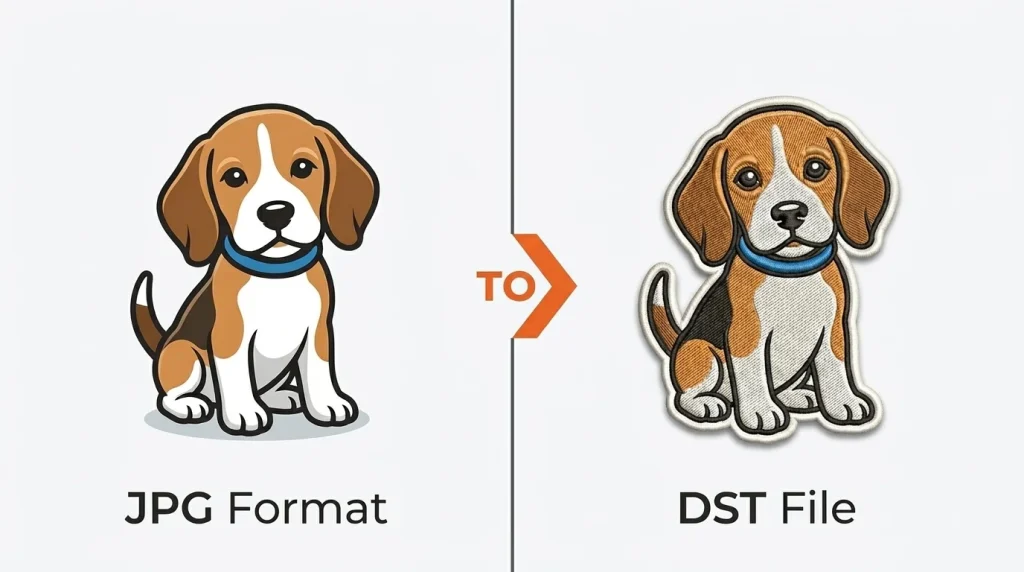
A JPG is a picture file made of pixels. A DST file is an embroidery stitch file made for machines. So, a JPG cannot sew on fabric by itself. It must go through digitizing, where the image is turned into stitches, stitch paths, and machine instructions.
Step by Step Process for Converting JPG to DST
Turning a JPG into a DST file takes more than a simple file change. You need to clean the image, digitize it properly, and set the right stitch details so the design can sew well on fabric.
1. Start with a clean image
First, use a clear JPG with sharp edges and simple shapes. Remove extra background, tiny details, and blurry parts before you begin. This matters because embroidery machines do not read pictures the way screens do. They need clean artwork that can be turned into stitches.
So, the most recommended method is to save artwork in a clean format for digitizing and reducing color complexity for better results.
2. Digitize the design step by step
Next, import the JPG into embroidery software such as Hatch, Wilcom, or Brother PE Design. Then trace the design and assign stitch types, stitch direction, underlay, density, and sewing order. This step is called digitizing. It is the real backbone of JPG to DST conversion because the software must build stitch data, not just copy the image.
3. Review and export the final file
After that, check the size, center point, and stitch path. Run a test sew out and fix gaps, puckering, or heavy areas. Finally, export the file as DST for machine use. The best way is to save the editable design first, then export the final stitch file.
Useful steps
- Clean the JPG first
- Digitize the artwork carefully
- Test before final production
- Export the finished file as DST
What Are the Common Challenges and Best Practices in DST Digitizing?
DST digitizing can cause problems like poor stitch density, weak underlay, thread breaks , registration errors, and design distortion. Complex artwork can also make the file harder to sew cleanly. In addition, some machines may read the file differently.
So, to avoid these issues, keep the artwork simple, choose the right stitch settings, and test the design on the final fabric before production. Also, check your machine setup and keep it properly adjusted for smooth results.
Quick fixes
- Match stitch settings to the fabric
- Test sew on the final material
- Keep artwork clean and simple
- Check the machine format before production
Short Overview
| Common Challenge | Best Practice |
|---|---|
| Distortion or gaps | Adjust density, underlay, and pull compensation |
| Thread breaks | Calibrate the machine and reduce problem stitches |
| Color or format issues | Recheck colors and confirm machine support |
What Are the Most Popular File Formats for Embroidery?
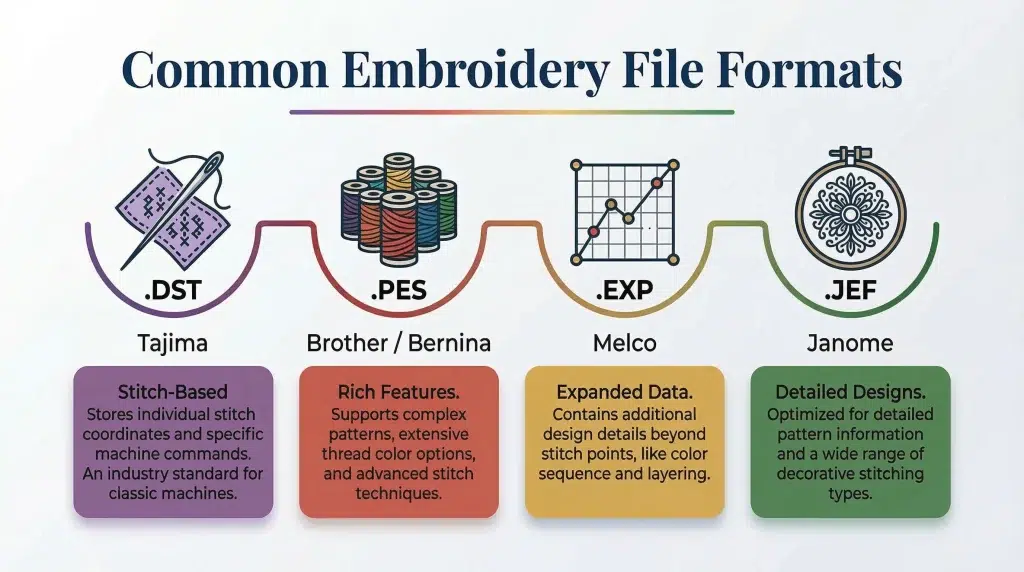
Embroidery file formats help machines read and stitch a design. The most common ones include DST, PES, JEF, EXP, VP3, HUS, XXX, and PEC. Different machines and software support different formats, so the right choice depends on your setup.
DST is widely used for commercial production because many systems can read it. PES is common in many home embroidery workflows. JEF is often used for Janome and Elna machines, while EXP is a common stitch file in commercial embroidery. VP3, HUS, XXX, and PEC are also widely used in specific machine families and software setups.
A Quick Comparison
| Format | Common use | Limitation or feature |
|---|---|---|
| DST | Commercial production | Simple stitch file |
| PES | Home embroidery | Can hold more design detail |
| JEF | Janome based work | More machine specific |
| EXP | Commercial jobs | Clean stitch output |
| VP3 and HUS | Brand specific workflows | Can preserve more color data |
How Does the DST File Type Compare to Other Embroidery Formats?
DST is a simple stitch file made for wide machine support. It works well in many production settings because many machines and software programs can read it. However, it stores less design detail than some other formats.
DST vs PES
DST uses simple stitch instructions, which makes it a strong choice for wide machine support. PES can carry more machine specific detail and thread color handling, so it often works better inside Brother-based workflows. That means DST is great for production, while PES is often better for editing and color-aware setup.
DST vs JEF
JEF is a stitch data format used as the default format for Janome and Elna embroidery machines. In comparison, DST works across more mixed machine setups. So, JEF can be a better fit for Janome users, while DST is often easier to share across shops.
DST vs VP3
VP3 stores thread color information and notes, which gives it more design detail than DST. As a result, VP3 can offer a richer file experience, while DST stays simpler and more common for stitching.
Key Aspects
- DST gives broad compatibility
- PES and JEF keep more design data
- EXP is also a simple stitch file
Are DST Files Compatible With All Embroidery Machines?
DST is a widely supported embroidery format, and many home and commercial machines can read it. However, not every machine accepts DST. Some machines work best with their own file types and may only support limited outside formats. That is why DST is common, but not universal.
How to ensure compatibility
Before you stitch, check your machine manual or software settings to confirm supported formats. If your machine does not accept DST, use embroidery software or a digitizing service to convert the file into the right format. Also, run a test sew out before full production.
Quick tips
- Check the machine file support
- Convert when needed
- Test before final production
Is an SVG File the Same as a DST File for Embroidery?
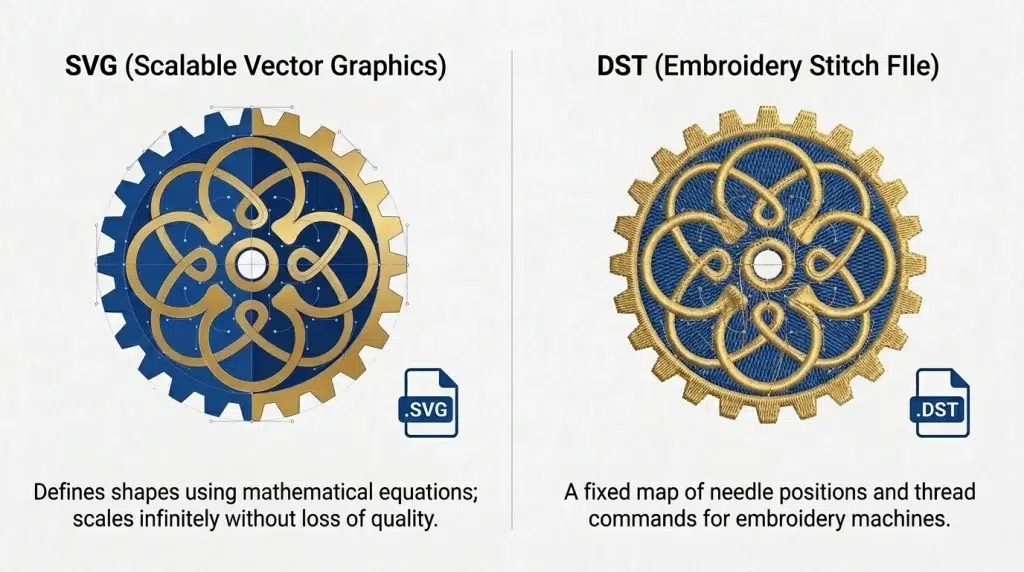
SVG and DST files do not work the same way in embroidery. Each file helps in the design process, but they have very different uses.
What is an SVG file?
An SVG file is a vector image file. Designers use it for logos, icons, and artwork because it can scale up or down without losing quality. That makes it very different from JPG files, which can look blurry when enlarged.
Key differences between SVG and DST
An SVG file is a vector design file. It stores shapes and paths. A DST file is an embroidery machine file. It stores stitch commands, such as where the needle moves and where the machine should stitch.
So, an SVG file is not the same as a DST file. A machine cannot sew an SVG file until someone digitizes it into stitches.
When to use SVG files for embroidery?
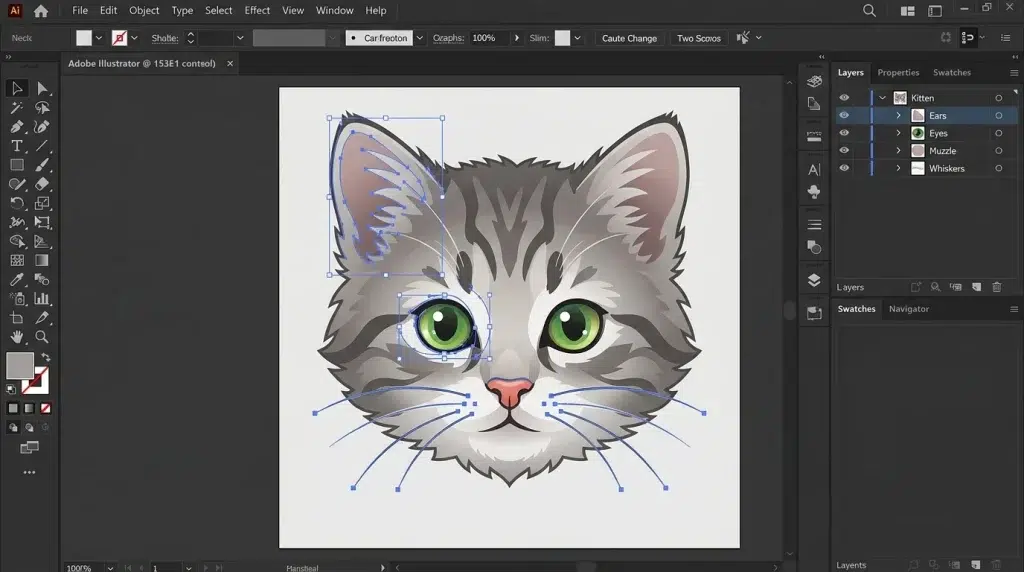
SVG works well at the artwork stage because it stays clean and sharp at any size. For that reason, it can be a strong starting file for digitizing.
However, you still need to convert that artwork into a stitch file like DST before machine embroidery can begin.
Key points
- SVG is a vector design file
- DST is a stitch file
- SVG needs digitizing before sewing
- DST is ready for machine use
Can You Use AI for Embroidery Digitizing?
AI can help with embroidery digitizing, but it does not replace a skilled digitizer. Today, most embroidery tools use smart automation and auto-digitizing to turn artwork into stitches faster. These tools can analyze shapes, colors, density, and stitch types, then build a starting design in fewer clicks. They can also help with sequencing and color reduction, which saves time during setup.
Even so, AI has limits. It works best with clean artwork that has sharp edges and only a few colors. Poor images often need manual fixing. The default stitch direction may not be the best choice. Fabric settings like underlay, density, and pull compensation still need review before production. Resizing artwork too much can also lower the final result.
Auto Digitizing VS Manual Digitizing
Auto digitizing is fast and useful for simple logos, basic shapes, and quick samples. Manual digitizing gives better control over stitch path, density, underlay, and the final sew out. That matters when you work with small text, tricky fabrics, layered designs, or detailed logos.
Meanwhile, in real production, many shops use automation to speed up the early steps, then adjust the file by hand for better quality. That is the most reliable balance between speed and precision.
Key points
- AI can speed up early digitizing work
- Manual digitizing gives better stitch control
- Human review is still needed before production
- A mixed workflow often gives the best results
| Method | Best for | Main Limit |
|---|---|---|
| Auto digitizing | Fast first draft | Needs human review |
| Manual digitizing | Better stitch control | Takes more time |
| AI assisted workflow | Faster setup with edits | Not fully production ready alone |
If you want clean embroidery files with both speed and accuracy, contact Absolute Digitizing for expert help.
Final Thoughts
JPG to DST conversion helps turn artwork into a file your embroidery machine can read. In this blog, we covered what DST files do, how JPG and SVG differ from stitch files, which embroidery formats are most common, and how AI can support digitizing. We also explained file compatibility and key steps for better results. If you want to try digitizing, start with clean artwork and simple designs. For reliable help & expert digitizing solutions, contact Absolute Digitizing!
Frequently Asked Questions
A JPG is just an image file made of pixels. An embroidery machine cannot read it directly, so it must be digitized into stitches before it can become a DST file.
Not in a true production-ready way. A JPG is a pixel image, while a DST file is a stitch file, so the artwork must be digitized into stitches before export. Some software offers auto-digitizing tools, but manual cleanup is often still needed for good results.
Often, yes. SVG is a vector format, so it stays clean at any size, while JPG can lose quality when enlarged. Even so, SVG still needs digitizing before it can become a machine file like DST.
No. DST is widely supported, but not every machine reads it. Some machines are designed around their own formats, such as PES or JEF, so you should always check your machine manual or software before stitching.
DST is a simpler stitch file mainly used for broad compatibility and production. PES can carry more machine-specific design details and is common in Brother-based workflows.
Yes, AI and auto-digitizing tools can speed up the early part of the process by turning artwork into a starting stitch layout. However, they still need human review because stitch direction, density, underlay, and fabric behavior often need manual adjustment.