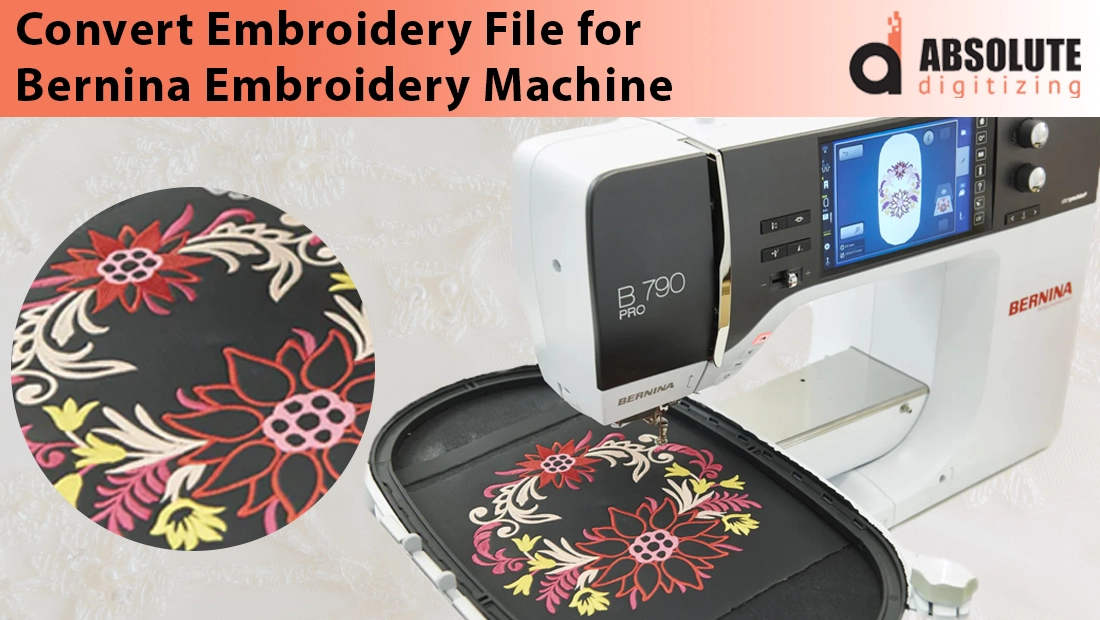
If you’ve ever tried loading an embroidery design into your Bernina machine only to see an error message, you’re not alone. Many embroidery lovers face this frustrating issue. You find a beautiful design online, or maybe a client sends you a file, but when you plug it into your Bernina, it simply refuses to work. The problem usually isn’t with your machine, it’s with the file format.
Bernina embroidery machines read specific embroidery file formats such as ART, EXP, PES, and a few others. If your design is saved in a different format, the machine won’t recognize it, and even if it does, the stitches may not come out as expected. That’s why converting embroidery files is such an important step before you begin stitching.
In this blog, we’ll walk you through what embroidery file conversion really means, the challenges that often come with it, and why relying on professionals can save you time, fabric, and headaches. While free tools and DIY methods are out there, the smartest and most reliable choice is to hire a professional embroidery digitizing service.
Understanding Bernina Embroidery Machines & File Formats

A Legacy of Quality
Bernina has been a leading name in the embroidery industry for over a century. Known for Swiss engineering and precision, the brand has earned a reputation for producing premium sewing and embroidery machines that combine durability, innovation, and ease of use. Whether for home crafters or professional embroiderers, Bernina machines stand out for their ability to deliver detailed, flawless stitching.
Common Bernina File Formats
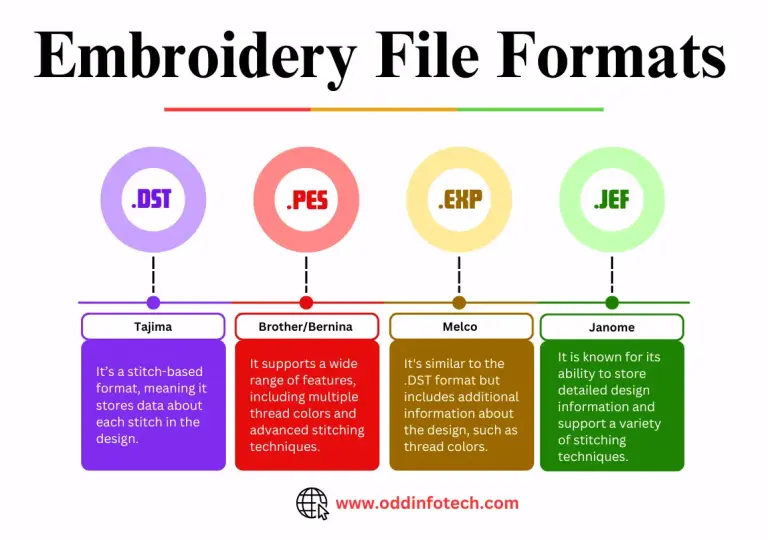
For these machines to work properly, they rely on specific file formats. The most common include:
-
ART – Bernina’s proprietary format designed exclusively for its software and machines.
-
EXP – Widely used for USB transfers and design sharing.
-
PES – A format recognized by multiple brands, ensuring flexibility.
-
DST – A commercial embroidery standard used across industrial machines.
Each format carries detailed stitch instructions that tell the machine exactly how to sew a design.
Why File Formats Matter
Using the correct file format is crucial for smooth stitching, accurate alignment, and avoiding errors. A wrong or poorly converted file can result in distorted designs, uneven density, or even broken needles. For instance, trying to load an unsupported format may look fine on-screen but could ruin fabric once stitched.
Why File Conversion is Needed
Designs Come in Many Formats
Not every embroidery design is originally created in a Bernina-compatible format. You may purchase a design online, receive one from a client, or even create it in software that saves it as EMB, CND, or other generic formats. Without conversion, these files simply won’t load or stitch correctly on your Bernina machine.
Ensuring Compatibility
File conversion bridges the gap by changing a design into a format your Bernina can read, such as ART, EXP, PES, or DST. This ensures your machine receives the correct stitch commands, color information, and placement details needed to recreate the design accurately.
Avoiding Stitching Problems
Improperly converted files might still open on your screen, but when stitched, they can cause distorted patterns, misaligned outlines, or thread breakage. That’s why proper conversion is more than just a technical step, it’s the foundation of smooth embroidery results.
DIY Methods of File Conversion
Common Software Option
If you want to try converting files yourself, there are several tools available. Bernina ArtLink is a free software provided by Bernina that allows basic format conversion and simple editing. Wilcom Embroidery Studio is a professional-grade software that supports multiple formats, though it comes with a high price tag. Additionally, there are free online converters, but they often offer limited features and may not preserve stitch quality.
Basic Conversion Process
The steps are usually similar across platforms:
-
Open your design in the software.
-
Choose the desired Bernina format (ART, EXP, PES, or DST).
-
Save or export the file to your computer.
-
Transfer it to your machine using a USB stick or direct connection.
At first glance, this process seems simple.
Challenges and Risks
The challenge lies in the learning curve and hidden risks. Free tools may strip away critical stitch information, while premium programs like Wilcom require significant investment and technical knowledge. Even with the right software, beginners may end up with files that stitch poorly—causing thread breaks, uneven density, or misaligned designs. DIY conversion can be rewarding for tech-savvy embroiderers, but it carries risks that could cost more than it saves.
Why Professional Embroidery Digitizing Services Are the Smart Choice
When it comes to preparing designs for a Bernina embroidery machine, many people think it’s just about “converting” a file. In reality, professionals go much further, they digitize the file. This means they don’t just change the format; they actually adjust and optimize the design so it stitches flawlessly on your specific machine and fabric type.
Precision and Quality
A professional digitizer ensures the correct stitch density and underlay, giving the design a solid foundation that prevents puckering or gaps. They also plan the stitch path for smooth thread flow, which reduces breaks and makes the embroidery process faster and cleaner. Unlike automated tools, experts consider the type of fabric or garment you’re using, whether it’s a delicate cotton shirt or a thick denim jacket, and adjust the design accordingly. They also manage accurate resizing, so designs look sharp and consistent even when scaled up or down.
Saving Time and Stress
Hiring a professional saves you the frustration of trial-and-error conversions. Instead of wasting hours tweaking settings, you can focus on creativity, design selection, and production, while the technical details are handled by someone who knows the craft inside out.
Cost-Effective in the Long Run
Many embroiderers try DIY methods thinking they’ll save money, but the opposite often happens. A poorly converted file can ruin garments, waste expensive threads, or even damage your machine. In contrast, a digitizing service costs only a fraction of what you might lose in spoiled materials. In short, paying a professional upfront is not just safer, it’s the smarter, more economical choice.
Features of a Reliable Digitizing Service
Fast Turnaround
A dependable digitizing service should deliver quickly without compromising on quality. The best providers offer turnaround times between 4 to 12 hours, ensuring your projects stay on schedule.
Affordable Pricing
Cost matters, especially if you run a business or handle bulk orders. Look for services that start at just $10 per design, giving you professional results without breaking your budget.
Free Edits and Guarantees
A hallmark of a reliable service is the willingness to make unlimited free edits until you’re satisfied. Along with that, a money-back guarantee provides security, showing the company is confident in its work.
Proven Customer Satisfaction
Customer reviews are an excellent way to judge reliability. Services with strong feedback on Google and Trustpilot demonstrate consistency and trustworthiness.
Example: Absolute Digitizing
One company that checks all these boxes is Absolute Digitizing. They provide affordable pricing, fast delivery, 24/7 support, and top-quality results. With their expertise, your Bernina embroidery files are not just converted but professionally optimized for flawless stitching.
How to Get Started with Professional Digitizing
Step 1: Upload Your Design
Begin by uploading your embroidery file in any format, whether it’s EMB, CND, JPG, or PNG. Professionals can handle a wide range of file types.
Step 2: Get a Quick Quote
Once uploaded, you’ll receive a fast quote based on the complexity and size of your design. This ensures transparency and helps you plan your costs in advance.
Step 3: Receive Your Bernina-Ready File
After approval, the experts digitize your file and deliver it in a Bernina-compatible format (ART, EXP, PES, or DST). Each stitch is optimized for your machine and fabric.
Step 4: Start Stitching Stress-Free
Load the file into your Bernina machine and enjoy smooth, flawless embroidery.
Unlike the trial-and-error hassle of DIY conversion, this process is simple, accurate, and stress-free, giving you professional results without wasted time or materials.
Conclusion
Bernina embroidery machines are built for precision and beauty, but they can only perform their best when fed the right file formats. While DIY conversion tools and free software are available, they often come with risks, like poor stitch quality, missing details, or even damaged garments. For hobbyists and professionals alike, these mistakes can be frustrating and costly.
That’s why the smartest solution is to rely on a professional digitizing service. Experts don’t just convert your files; they optimize every stitch for your machine, fabric, and design size. The result is smoother thread flow, fewer errors, and embroidery that looks exactly the way it should.
If you want flawless Bernina embroidery results every time, trust experts like Absolute Digitizing to prepare your files. Save time, save fabric, and enjoy embroidery the way it’s meant to be, stress-free and professional. Get your instant Free Quote Now at absolutedigitizing.com