

| Summary |
|---|
Common embroidered patch problems include:
|

Creating high-quality machine embroidered patches looks simple, but it needs more than just loading a design into an embroidery machine. A patch must be digitized correctly, stitched on the right fabric, supported with the right stabilizer, and finished with clean borders.
Most patch problems happen because of three main reasons: poor digitizing, unsuitable materials, or incorrect machine settings. These issues can cause thread breaks, gaps between stitches, rough borders, puckering, shape distortion, and missing small details.
In this guide, you will learn the most common problems faced when making machine embroidered patches and the simple fixes that help create clean, durable, and professional patches.
Frequent Issues in Machine Embroidered Patches
Most issues in embroidered patches come from poor digitizing, wrong fabric, weak stabilizer, or incorrect machine settings. Understanding these problems first makes it easier to fix them and get clean results.
1. Poor Embroidery Digitizing

Problem
A design may look perfect on screen but still stitch badly on fabric. This is common with pre-made or auto-digitized embroidery files. On patches, poor digitizing can cause:
- Too many color changes
- Frequent thread breaks
- Gaps between stitches
- Uneven patch borders
- Poor stitch flow
- A messy and unprofessional final result
Cause
This usually happens when the design is not digitized specifically for embroidered patches. Patch embroidery needs proper planning for:
- Stitch direction
- Stitch density
- Underlay
- Border sequencing
- Pull compensation
- Fabric movement during stitching
Auto-digitized files often ignore these details. This can cause poor stitching and patch distortion.
Fix
Use a reliable embroidery digitizer who understands how to prepare designs for patches. A properly digitized patch design will:
- Reduce unnecessary trims and jumps
- Limit excessive color changes
- Improve stitch flow and machine performance
- Apply proper density for the patch fabric
- Prevent gaps, distortion, and thread breaks
- Create cleaner and more professional-looking patches
This helps the patch stitch smoothly and hold its shape properly during production.
Quick Answer:
Poor digitizing is one of the main reasons embroidered patches look messy. A patch design needs proper stitch direction, density, and the application of underlay stitches. This helps the patch stitch cleanly and hold its shape.
2. Missing Placement Stitches
Problem
Placement stitches help position the patch correctly on the fabric. The embroiderer may have to guess the exact position, which can lead to:
- Uneven patch placement
- Off-center designs
- Inconsistent patch shapes
- Borders not lining up properly
- Patches looking tilted or unbalanced
- Poor results when attaching patches to garments
Cause
This usually happens when the embroidery file does not include placement stitches at the start of the design. Many auto-digitized files skip this step. As a result, the machine starts stitching without giving a clear guide for where the patch should sit.
Patch embroidery needs proper alignment because even a small placement mistake can make the final patch look unprofessional. This is especially important for:
- Logo patches
- Uniform patches
- Name patches
- Jacket patches
- Cap patches
- Pre-made patches being sewn onto garments
Fix
Placement stitches should be added at the beginning of the embroidery design. These stitches create a clear outline or guide that shows exactly where the patch will be sewn. This helps the embroiderer position the fabric, backing, or pre-made patch correctly before the main stitching begins
A good placement stitch setup helps:
- Mark the exact patch position
- Keep the design centered
- Improve border alignment
- Maintain consistent patch shape
- Reduce positioning mistakes
- Make patch attachment easier and cleaner
Placement stitches are useful when creating embroidered patches from scratch and also when attaching ready-made patches onto shirts, jackets, uniforms, bags, or caps.
This quick tutorial explains how placement stitches work and gives you a good starting point for making patches.
Quick Answer:
Placement stitches help guide the exact position of an embroidered patch before the main stitching starts. Without them, patches can become off-center, uneven, tilted, or poorly aligned on the fabric.
3. Wrong Fabric Selection

Problem
The wrong fabric selection can make an embroidered patch look uneven, weak, or distorted. The design may not hold its shape during stitching, especially when the embroidery has dense fills, borders, or small details
Wrong fabric selection can cause:
- Puckering around the stitches
- Distorted patch shape
- Uneven or wavy borders
- Stretched-looking embroidery
- Misaligned design elements
- Poor support for dense stitch areas
- A patch that looks soft, loose, or unprofessional
Cause
This usually happens when the fabric is too soft, thin, stretchy, or unstable for patch embroidery. Patch designs often need stronger fabric because the stitching can be dense and tight. If the fabric moves during stitching, the design may shift out of place
Weak fabrics do not provide enough support for:
- Dense embroidery fills
- Satin stitch borders
- Merrow-style edges
- Small lettering
- Logo details
- Heavy stitch counts
When the fabric cannot handle the stitch pressure, the patch may shrink, wave, pull, or lose its intended shape.
Fix
Choose strong and stable fabrics that can support embroidery without shifting too much. A good patch fabric should stay firm while the machine stitches and should help the patch keep its shape after trimming, cutting, or finishing.
Good fabric choices for embroidered patches include:
- Twill
- Denim
- Duck canvas
- Felt
- Other firm, non-stretch woven fabrics
These fabrics provide a stronger base for embroidery and help reduce puckering, distortion, and uneven borders. Avoid very thin, stretchy, slippery, or low-strength fabrics because they can move during stitching and ruin the final patch finish.
For best results, match the fabric with the design type. Dense logos, bold text, and detailed patch designs usually need firmer fabric and proper patch backing support.
Quick Answer:
Wrong fabric selection can cause embroidered patches to pucker, stretch, or lose shape. Strong fabrics like twill, denim, duck canvas, and felt work better because they provide a firm base for dense embroidery and help the patch stay clean and stable.
| Problem | Main Cause | Quick Fix |
|---|---|---|
| Poor digitizing | Generic or auto-digitized file | Use professional patch digitizing |
| Missing placement stitches | No guideline in the design file | Add placement stitches at the start |
| Wrong fabric selection | Fabric is too soft, thin, or stretchy | Use twill, denim, duck canvas, or felt |
| Improper stabilizer use | Weak or incorrect backing | Use heavy cut-away stabilizer or poly mesh |
| Rough patch edges | Narrow border or poor cutting | Use wider borders, fray check, and sharp scissors |
| Thread tension and needle issues | Wrong tension or dull needle | Adjust tension and use sharp embroidery needles |
4. Improper Stabilizer Use
Problem
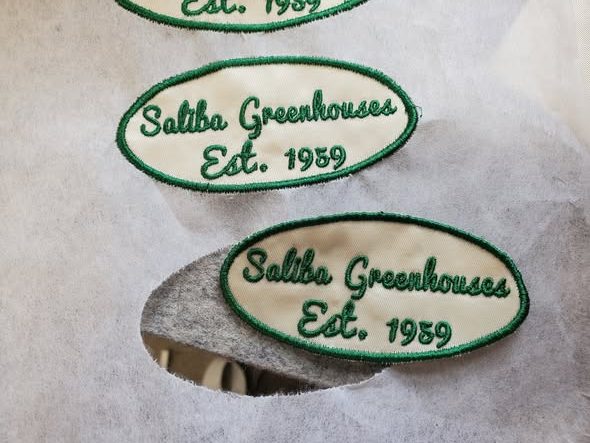
When the stabilizer is not suitable for patch embroidery, the fabric can move during stitching. This can make the design lose its shape and cause poor stitch registration, where different parts of the design do not line up correctly.
Improper stabilizer use can cause:
- Design shifting during embroidery
- Poor stitch alignment
- Uneven patch shape
- Gaps between design elements
- Borders not matching the main design
- Puckering around dense stitch areas
- A weak or unstable final patch
Cause
This usually happens when the stabilizer is too weak, too soft, or not suitable for dense embroidery. Patch designs often have heavy fills, satin borders, small details, and tight stitch areas. These need a strong base to hold everything in place
A weak stabilizer may not support:
- Dense stitch fills
- Satin stitch borders
- Small lettering
- Detailed logos
- High stitch-count designs
- Repeated needle movement in one area
When the stabilizer cannot control fabric movement, the patch may shift, stretch, or distort while stitching.
Fix
Use a firm stabilizer that can support the fabric throughout the full embroidery process. For patch work, heavy cut-away stabilizer and poly mesh are good choices because they help keep the fabric stable and reduce movement.
A good embroidery stabilizer setup helps:
- Keep the fabric firmly in place
- Improve stitch registration
- Support dense embroidery areas
- Reduce puckering and distortion
- Keep borders aligned with the design
- Produce cleaner and more consistent patches
For best results, match the stabilizer to the fabric, design density, and patch size. A larger or more detailed patch usually needs stronger support than a simple low-stitch design.
Quick Answer:
Improper stabilizer use can make embroidered patches shift, pucker, or lose alignment during stitching. Heavy cut-away stabilizer or poly mesh gives the patch a stronger base, improves stitch registration, and helps the final patch stay clean and stable.
5. Rough Patch Edges
Problem
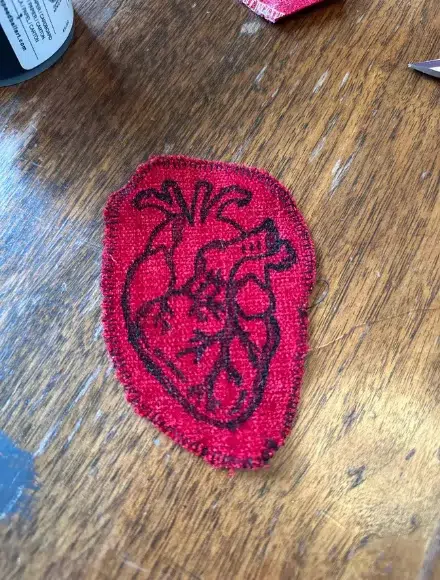
Rough or messy patch edges can make the entire embroidered patch look unfinished, even if the main design stitches well. The border may look uneven, loose threads may appear after cutting, and the patch may not have a clean professional finish.
Rough patch edges can cause:
- Loose threads around the border
- Uneven or jagged patch edges
- Fraying after cutting
- Weak-looking patch borders
- A messy handmade appearance
- Poor finish around the outer shape
- Patches that look incomplete or low quality
Cause
This usually happens when the patch border is too narrow, weak, or not digitized properly. A thin border does not give enough room for clean trimming, especially around curves, corners, and small details.
Rough edges can also happen because of poor finishing methods, such as:
- Cutting too close to the stitches
- Using dull scissors
- Trimming without edge protection
- Poor border density
- Weak satin stitch coverage
- Not applying fray check before cutting
- Uneven cutting around curved shapes
When the edge is not protected or the cut is too tight, small fabric threads can pop out and make the patch look messy.
Fix
Use a wider, well-digitized border that gives enough room for clean cutting and finishing. The border should cover the edge properly and support the shape of the patch.
To get cleaner patch edges:
- Use a strong satin or merrow-style border
- Keep the border wide enough for safe trimming
- Apply fray check solution around the edge before cutting
- Let the fray check dry properly before trimming
- Use sharp, high-quality scissors
- Cut slowly and carefully around the border
- Avoid cutting too close to the stitches
- Check curves and corners carefully while trimming
A properly digitized border, combined with careful cutting, helps create smooth, neat, and professional patch edges.
Quick Answer:
Rough patch edges usually happen because of a narrow border, poor digitizing, or careless cutting. A wider well-digitized border, fray check solution, and sharp scissors help prevent fraying and give embroidered patches a clean finished edge.
6. Thread Tension and Needle Issues
Problem
Incorrect thread tension or needle problems can make an embroidered patch look rough, uneven, or poorly finished. Even if the design is digitized correctly, bad tension or a worn needle can affect stitch quality during production.
Incorrect tension and needle issues can cause:
- Loose stitches
- Tight or sunken stitches
- Frequent thread breaks
- Uneven small details
- Rough satin borders
- Poor stitch registration
- Messy or unstable embroidery
- A weak-looking final patch
If the tension is too tight, the stitches may pull into the fabric and make small details look thin or distorted. If the tension is too loose, the stitches may sit unevenly on the surface and make the patch look messy.
Cause
This usually happens when the thread tension is not checked before sewing. Dense patch embroidery puts extra pressure on the thread, needle, fabric, and stabilizer. If the tension is not balanced, the machine may not stitch smoothly.
Needle problems can also create poor results. A dull, bent, weak, or low-quality needle can damage the thread, miss stitches, or create rough stitch lines. This becomes more noticeable in patch work because patches often include dense fills, thick borders, and repeated stitching in the same areas.
Common causes include:
- Tension is set too tight or too loose
- Dull or bent needles
- Low-quality needles
- Wrong needle size for the thread or fabric
- Needle not changed on time
- Dense embroidery puts extra stress on the needle
- Thread not feeding smoothly through the machine
Fix
Set the thread tension correctly before starting the patch. Always test the design on similar fabric and stabilizer before running the final patch, especially for dense logos, small lettering, or satin borders.
To reduce thread breaks and improve stitch quality:
- Check thread tension before production
- Use sharp, branded embroidery needles
- Match the needle size to the fabric and thread
- Replace dull or weak needles regularly
- Change needles after around 6 hours of sewing
- Replace needles after about 1 to 1.5 million stitches
- Use good-quality embroidery thread
- Run a test stitch-out before bulk patch production
A fresh needle and balanced tension help the machine stitch smoothly, keep small details clean, and reduce thread breaks during patch embroidery.
Quick Answer:
Incorrect thread tension and dull needles can cause loose stitches, thread breaks, sunken details, and rough patch embroidery. Balanced tension, sharp branded needles, and regular needle replacement help create cleaner, smoother, and more professional embroidered patches.
Conclusion
High-quality machine embroidered patches depend on three main things: good digitizing, proper materials, and correct machine setup. Even a strong design can fail if the fabric, stabilizer, border, tension, or needle choice is wrong.
By fixing these common issues, you can reduce thread breaks, avoid gaps, improve patch shape, and create cleaner, more professional results. The better the preparation, the better the final patch will look.
For clean, production-ready patch files, choose Absolute Digitizing for professional embroidery digitizing services designed for smooth machine performance and cleaner patch results. Get an instant free quote today.
FAQ
Embroidered patches usually look uneven because of poor digitizing, weak stabilizer, incorrect thread tension, or unsuitable fabric. Dense embroidery needs proper support and accurate stitch settings to maintain a clean patch shape.
Strong and stable fabrics work best for embroidered patches. Popular choices include twill, denim, duck canvas, and felt because they can support dense embroidery without shifting or puckering.
Thread breaks are often caused by poor digitizing, incorrect thread tension, dull needles, or low-quality thread. Dense patch embroidery also puts extra pressure on the needle and thread, especially around satin borders and detailed areas.
Heavy cut-away stabilizer and poly mesh are commonly used for embroidered patches. These stabilizers provide strong support and help prevent shifting, puckering, and poor stitch registration during embroidery
Patch borders may fray because the border is too narrow, poorly digitized, or cut incorrectly. Using a wider satin border, fray check solution, and sharp scissors can help create smoother and cleaner patch edges.
Placement stitches are guide stitches added at the beginning of an embroidery design. They show the exact position of the patch on the fabric and help keep the design centered and aligned during stitching.
Auto-digitized files can work for simple designs, but they often create problems in patch embroidery. Many auto-digitized files have poor stitch flow, excessive trims, bad density settings, and weak borders that reduce patch quality.
Embroidery needles should usually be replaced after about 6 hours of sewing or after around 1 to 1.5 million stitches. A dull needle can cause thread breaks, rough stitching, and poor embroidery quality.
Puckering usually happens because of weak fabric, poor stabilizer support, excessive stitch density, or incorrect tension settings. Stable fabric and proper backing help reduce puckering in patch embroidery.
You can improve patch quality by using professional embroidery digitizing, stable fabric, strong stabilizer, balanced thread tension, sharp needles, and clean cutting techniques. Testing the design before production also helps avoid stitching problems.
Yes. Absolute Digitizing provides embroidered patch digitizing for ready-to-use patches. We prepare your design according to the patch size, fabric, border style, and required machine format so it can be stitched cleanly and produced as a finished patch.