| Quick Summary |
|---|
Janome digitizing software helps users create, edit, preview, and export embroidery designs for compatible machines.
|
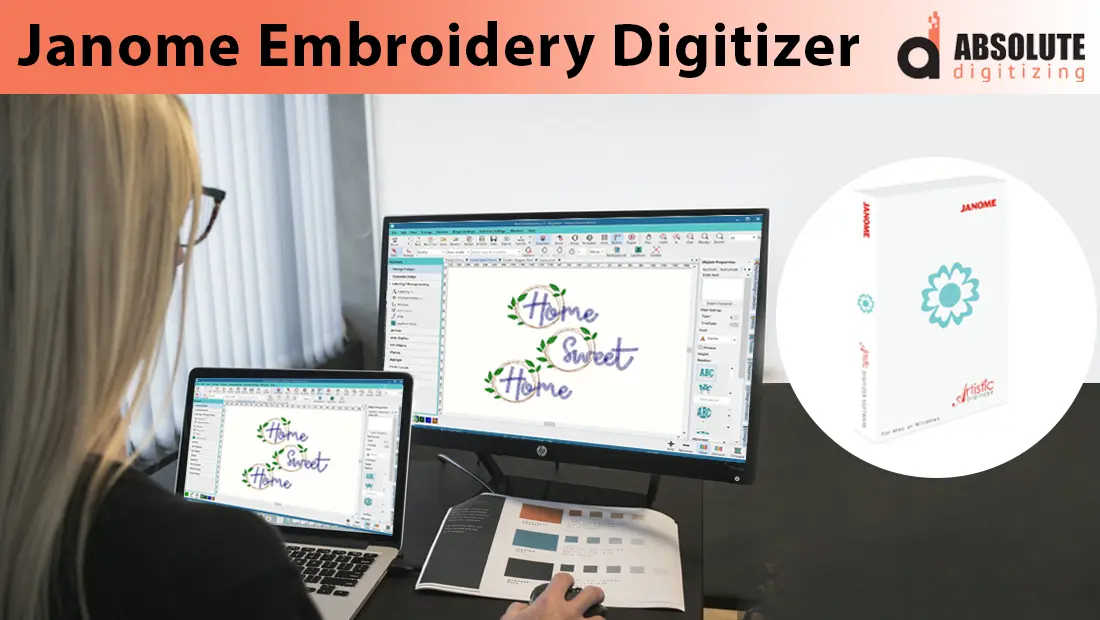
Turning artwork into embroidery starts with digitizing. This process changes a logo, sketch, photo, or text into stitch instructions that a Janome embroidery machine can read. Janome digitizing software gives users tools to create, edit, preview, and save designs.
However, good results take more than importing an image and clicking a button. You need to choose the right stitch types, density, underlay, sequence, and design size. Fabric also affects the final sew-out. A file made for denim may need different settings for a shirt, towel, cap, or stretchy fabric.
This guide explains how Janome embroidery software works, which features it offers, and where beginners may face challenges. It also compares do-it-yourself software with professional help, so you can choose the right path for your project. If you need a clean, machine-ready file without spending hours learning the software, hire a professional embroidery digitizing service to get accurate and reliable stitching.

- What Is Janome Embroidery Digitizer?
- What Are the Key Features of Janome Digitizing Software?
- What Are the Pros and Cons of Janome Digitizing Software?
- Common Issues Faced by Beginners
- Why Hiring Professional Digitizing Services Is a Better Option
- Janome Digitizer vs Professional Digitizing: Which One to Choose?
- Final Thoughts
- Frequently Asked Questions
What Is Janome Embroidery Digitizer?
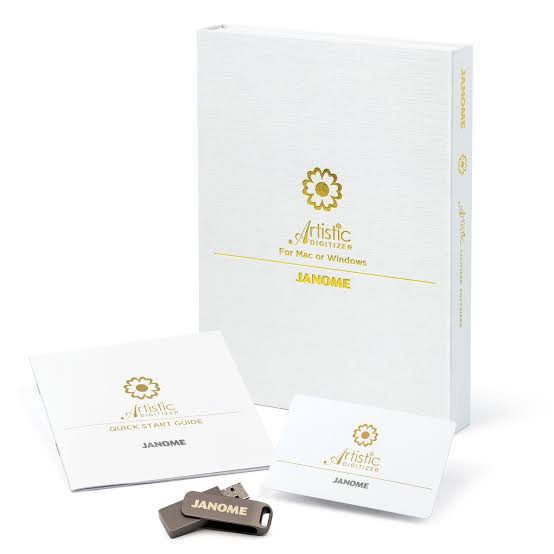
Janome software helps users turn artwork, lettering, and shapes into files an embroidery machine can stitch. It gives hobbyists and businesses tools to create designs, adjust stitches, preview the sewing order, and prepare files for compatible machines.
What Is the Current Janome Digitizing Software?
Janome now promotes Artistic Digitizer 2.0 as its full embroidery program. It works on Windows and Mac. The software can convert graphics, create lettering, resize designs to fit a hoop, adjust stitch order, and edit start, exit, and trim points.
Artistic Digitizer Jr. 2.0 is a lighter option for users who need simpler design and editing tools. However, older Digitizer MBX versions are discontinued. Therefore, do not treat MBX or earlier Digitizer Jr. programs as Janome’s current choices.
Which File Formats Does It Use?
The format depends on the software version and machine:
- JEF stores stitch data for many Janome machines.
- JAN is an editable master format used by older Digitizer software.
- EMB replaced JAN as the main editable format in MBX 5.
- JEF Plus and JPX carry added editing or machine information for compatible models.
Always check your machine manual before exporting a design.
What Are the Key Features of Janome Digitizing Software?
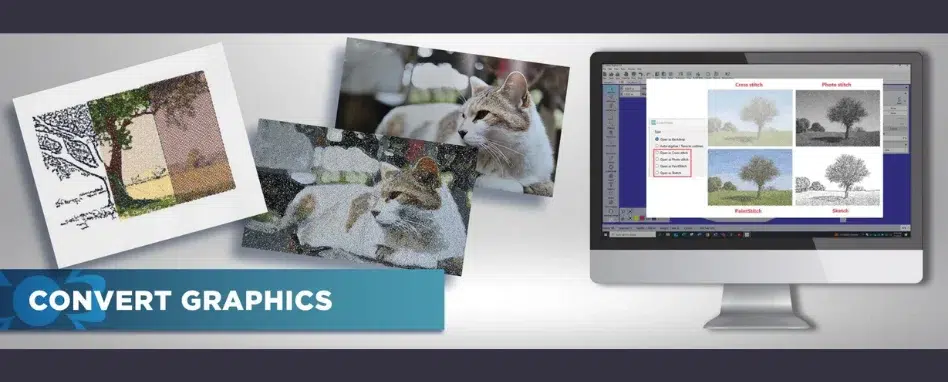
Janome Artistic Digitizer 2.0 combines artwork conversion, lettering, editing, and stitch control in one program. It can help beginners build simple projects while giving experienced users more control over detailed designs. However, every converted design still needs review before it reaches the machine.
Graphic Conversion Tools
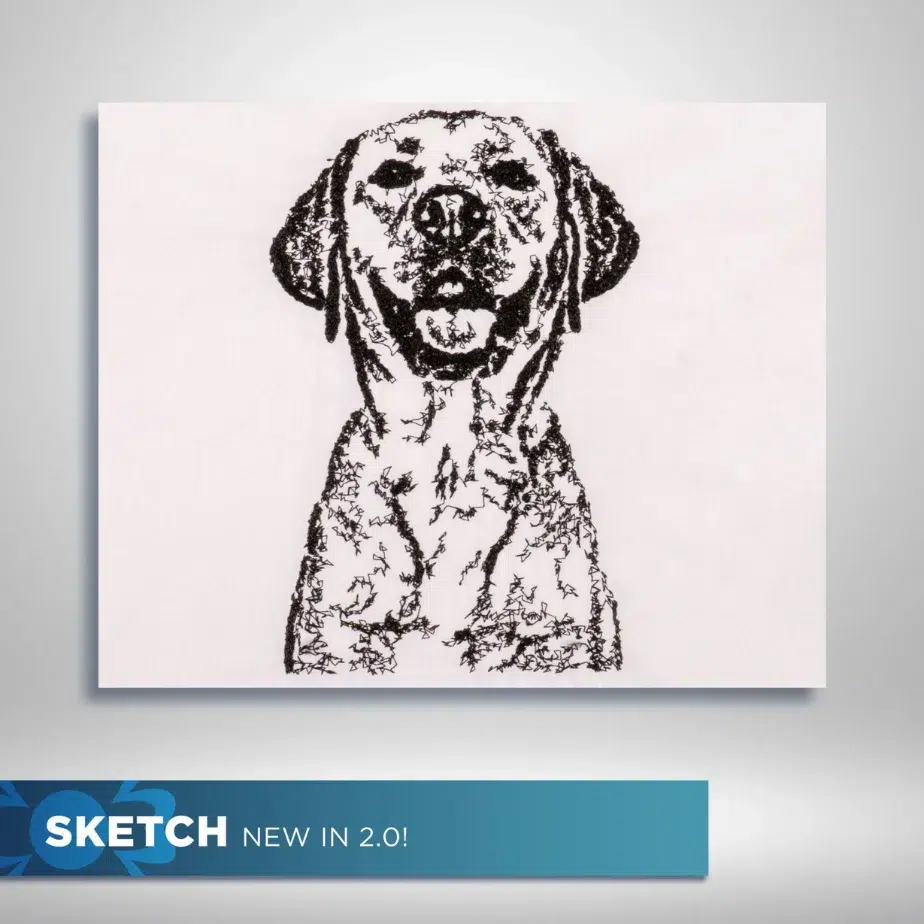
The software can turn bitmap artwork into several stitched effects. Artistic Digitizer 2.0 offers Cross Stitch, Photo Stitch, Paint Stitch, and Sketch conversion. The new Sketch option creates a loose, charcoal-style outline that can suit flexible garments and creative projects.
Users can also import transparent PNG artwork. The program reads the visible area and avoids creating stitches in the transparent background. Still, clean artwork with clear edges usually gives better starting results.
Manual Editing and Stitch Control
Automatic conversion can save time, but manual tools help improve accuracy. Users can draw or reshape objects, edit nodes and stitches, change stitch direction, and split shapes with the Knife tool.
The software also lets users manage:
- Design sequence and color order
- Trim points and jump movement
- Start and exit points
- Satin, running, and fill stitches
- Machine type and hoop choice
The Rearrange tool brings several sequence controls together, which can make cleanup easier. Even so, users should check density, underlay, overlaps, and fabric needs before stitching.
Lettering and Monogramming
Artistic Digitizer supports lettering, monograms, and system fonts. Users can work with TrueType and OpenType fonts, adjust spacing, and place monogram text vertically or horizontally.
It also offers raised 3D and 4D lettering effects without foam. However, small text may still need wider strokes, fewer details, and careful test sewing.
Hoop Sizing and Design Layout
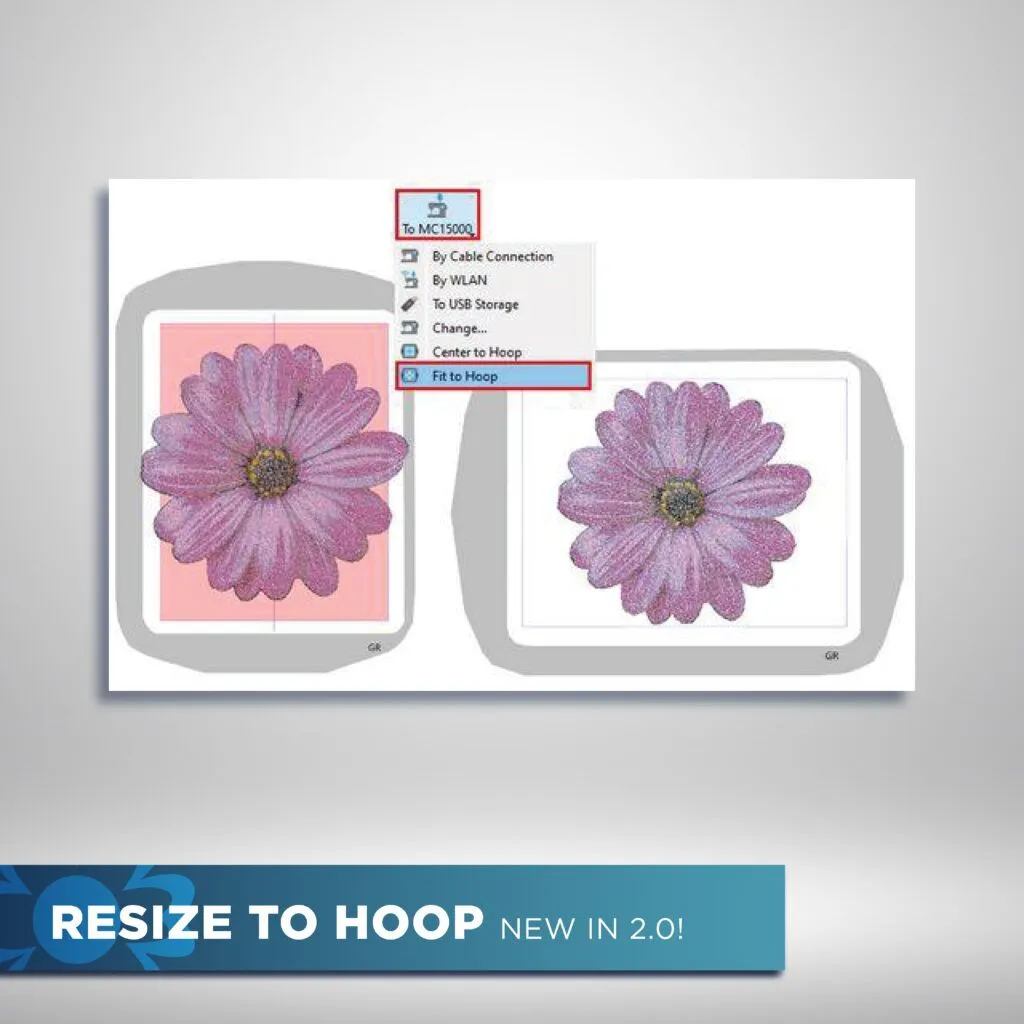
The Resize to Hoop feature can scale a design to fit the selected machine hoop. Users can also rotate, mirror, align, group, or separate objects when arranging a layout.
However, automatic resizing does not guarantee a clean sew-out. Large size changes may alter stitch coverage or detail, so review the stitch settings afterward.
Preview and Creative Fill Options
A 3D preview and Slow Redraw tool help users inspect the finished look and watch the stitch order. This can reveal poor sequencing, long jumps, or crowded areas before production.
Creative options include gradient fills, motif fills, floral arrays, Space Fill, Redwork conversion, and decorative shapes. These tools expand design choices, but a test sew-out remains the safest way to confirm the final result.
What Are the Pros and Cons of Janome Digitizing Software?
Janome Artistic Digitizer offers useful design and editing tools, but it still requires practice and testing before stitching the final design on fabric.
| Pros | Cons |
|---|---|
| Runs on Windows 10 or 11 and recent macOS versions | Advanced tools take time to master |
| Includes lettering, graphic conversion, stitch editing, and hoop selection | Auto-converted designs may need cleanup |
| Works well with Janome machine workflows | Fabric settings still require manual review |
| Full and Junior editions support different needs | Junior offers fewer advanced tools |
Common Issues Faced by Beginners
While Janome Digitizer is powerful, it’s not a plug-and-play solution for everyone. Beginners often face several recurring challenges that can impact final stitch quality:
Common Issues
- Inconsistent Stitch Quality: Beginners frequently report uneven or messy stitch paths, especially with auto-digitized designs that aren’t manually refined.
- Letters Breaking or Bulky: Small text or intricate fonts often stitch poorly unless manually tinkered.
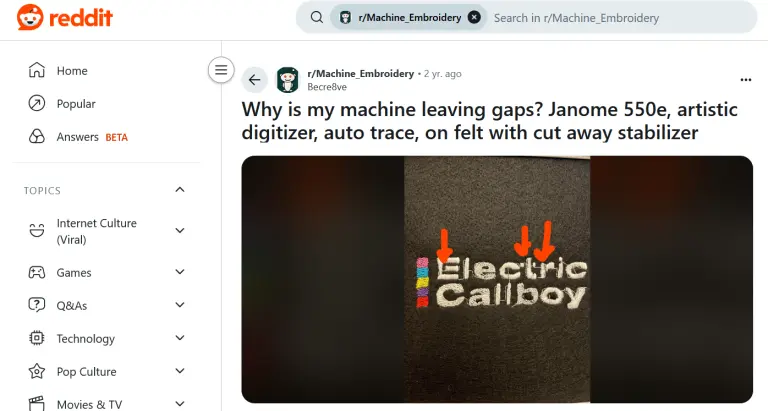
- Gaps Between Fills or Borders: Designs may come out with unwanted blank patches or visible borders.
- Aligning Start/End Points: Improper placement can lead to thread jumps or skipped stitches, adjusting manually takes practice.
- Lag or Crashes on Older Computers: The software can be resource-intensive, causing crashes when running on slower systems.
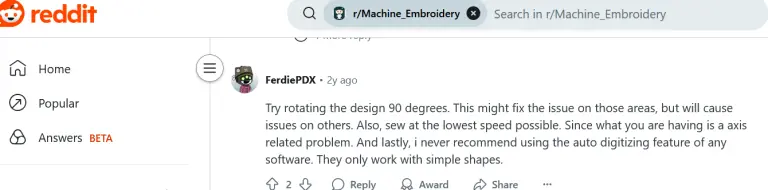
- Complex Artwork Problems: Realistic shading, gradients, or detailed pet portraits usually don’t translate well unless digitized manually with precision.
What Reddit Users Say
Why Hiring Professional Digitizing Services Is a Better Option
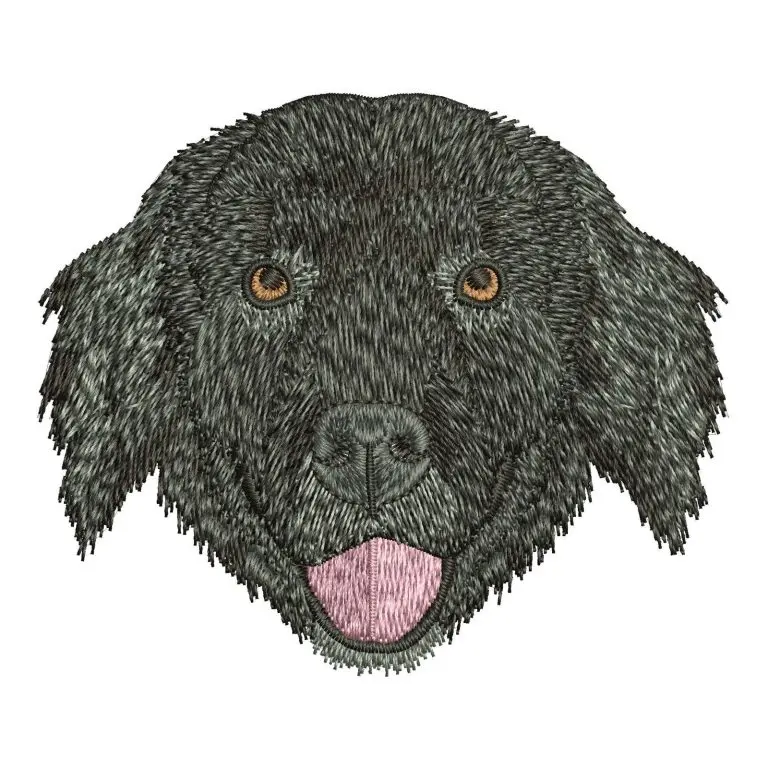
While Janome Digitizer offers powerful tools for home users and hobbyists, many projects benefit more from professional embroidery digitizing services. Here’s why outsourcing is often the smarter choice:
1. Precision and Clean Stitching
Professional digitizers manually convert artwork, carefully planning stitch paths, trim placements, and start/end points. This results in smoother runs, minimal jumps, and clean finishes—something auto-digitizing features often fail to deliver.
2. Fabric-Specific Adjustments
Different fabrics require different settings. A design for denim won’t perform the same on lightweight cotton. Professionals adjust density, underlay, and pull compensation based on the material, ensuring crisp results that don’t pucker or distort.
3. Handling Complex Artwork
Realistic designs, like pet portraits, gradients, shadows, and tiny text, are difficult to replicate with basic software tools. Professionals have the experience to translate intricate artwork into clean, stitch-friendly formats without losing detail.
4. Saves Time and Frustration
Learning embroidery software takes hours of trial and error. By outsourcing, you skip the long learning curve and avoid redoing failed stitch-outs, saving time, thread, and fabric.
5. Scalable for Business
If you’re running a small embroidery business, professional digitizing allows you to focus on production and customer service. You get fast, reliable files without having to digitize every design yourself.
6. Affordable Pricing
Services like Absolute Digitizing start at just $15, making it cheaper than investing in software and spending weeks learning how to use it. For complex designs, you’re also paying for expertise that ensures quality and efficiency.
Janome Digitizer vs Professional Digitizing: Which One to Choose?
Criteria Janome Digitizer Professional Digitizing Project Type Simple / Hobby Designs Commercial / Paid Projects Skill Level Required Beginner to Intermediate No skill required from user Turnaround Time Longer (due to DIY learning curve) Fast (2 to 12 hours) Design Complexity Handling Limited (manual editing often needed) High (realistic art, gradients, small text) Fabric-Specific Adjustments Manual adjustments needed Optimized automatically by experts Cost Efficiency Lower (after software purchase) More cost-effective per job (especially in bulk) Best For Learning, practice, and creative exploration Businesses, bulk orders, and customer logos
Final Thoughts
Janome digitizing software gives hobbyists and small shops useful tools for creating, editing, and previewing embroidery designs. It works well for lettering, simple artwork, and personal projects when you have time to test and adjust each file.
However, software alone does not guarantee a clean sew-out. Detailed logos, small text, caps, stretchy fabrics, and customer orders often need careful stitch planning, underlay, density control, pull compensation, and test runs.
For this reason, choose the method that matches your skills, schedule, and project risk. Use the software when you want creative control and practice. Choose professional help when accuracy, speed, and repeatable results matter most.
Need a clean, machine-ready file for your next project? Contact Absolute Digitizing for expert embroidery digitizing and get a free quote today.
Frequently Asked Questions
Yes. Artistic Digitizer 2.0 can convert bitmap images into options such as Photo Stitch, Paint Stitch, Cross Stitch, and Sketch. However, automatic conversion may still require changes to density, stitch order, trims, and outlines before sewing. Clean artwork usually produces a better starting design.
JEF is the standard machine-readable format for Janome and Elna embroidery machines. Some compatible models also use JEF Plus or JPX files. JAN and EMB are editable project formats rather than basic machine stitch files. Always check your machine manual before exporting the design.
Yes. The current software supports updated Windows 10 and Windows 11 computers. It also supports recent macOS versions, Intel processors, and Apple M-series processors. Internet access is required for registration, activation, and software updates.
Automatic conversion may create crowded stitches, long jumps, rough outlines, or a poor sewing order. These problems often appear when the artwork has blurry edges, tiny details, gradients, or too many colors. Review the sequence, trims, density, underlay, and fabric settings, then run a test sew-out.
Yes, but beginners should expect a learning period. Janome provides built-in tutorials and tools for graphic conversion, lettering, hoop sizing, previews, and stitch editing. Simple names and shapes are good practice projects. Detailed logos, small lettering, caps, or paid orders may be safer to send to a professional digitizer.