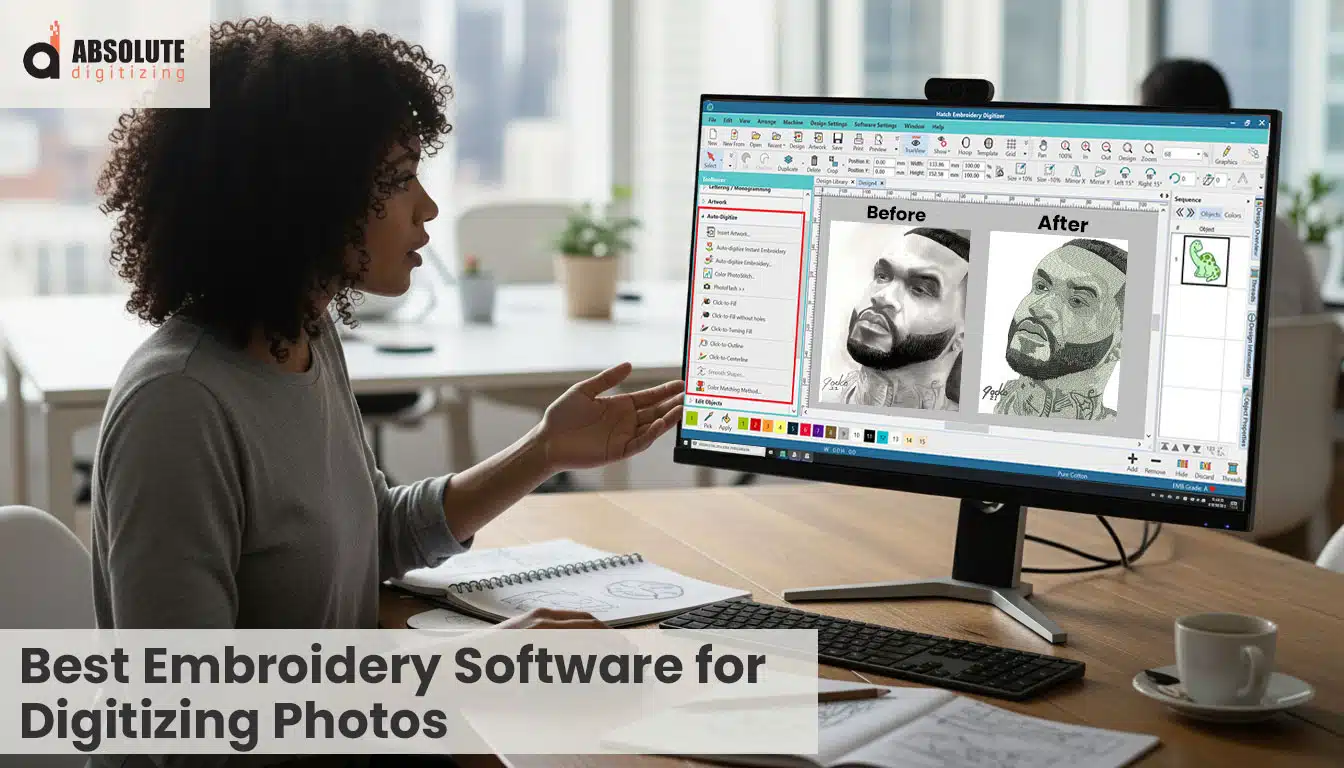
Can Embroidery Software Automatically Convert Photos Into Stitches?
Some embroidery software can convert photos into stitches automatically, but the results are often limited. Photo embroidery digitizing usually requires manual work to control stitch direction, density, and shading so the design looks clean and realistic when stitched.
Many people want to turn a photo into an embroidery design. At first, it sounds simple: upload an image and let the software convert it into stitches. In reality, photo embroidery is one of the most difficult types of embroidery digitizing because embroidery machines stitch with thread, not pixels.
Small details, shading, and textures in photos must be carefully translated into stitches. Without proper digitizing, photo embroidery can look rough, distorted, or overly dense.
In this guide, you will learn:
- What photo embroidery is
- Why digitizing photos is difficult
- The best embroidery software for digitizing photos
- The limitations of auto-digitizing tools
- Why professionals still digitize photo designs manually
Top embroidery digitizing services are often the more reliable option if you want a clean, production-ready embroidery file.
What Is Photo Embroidery Digitizing?
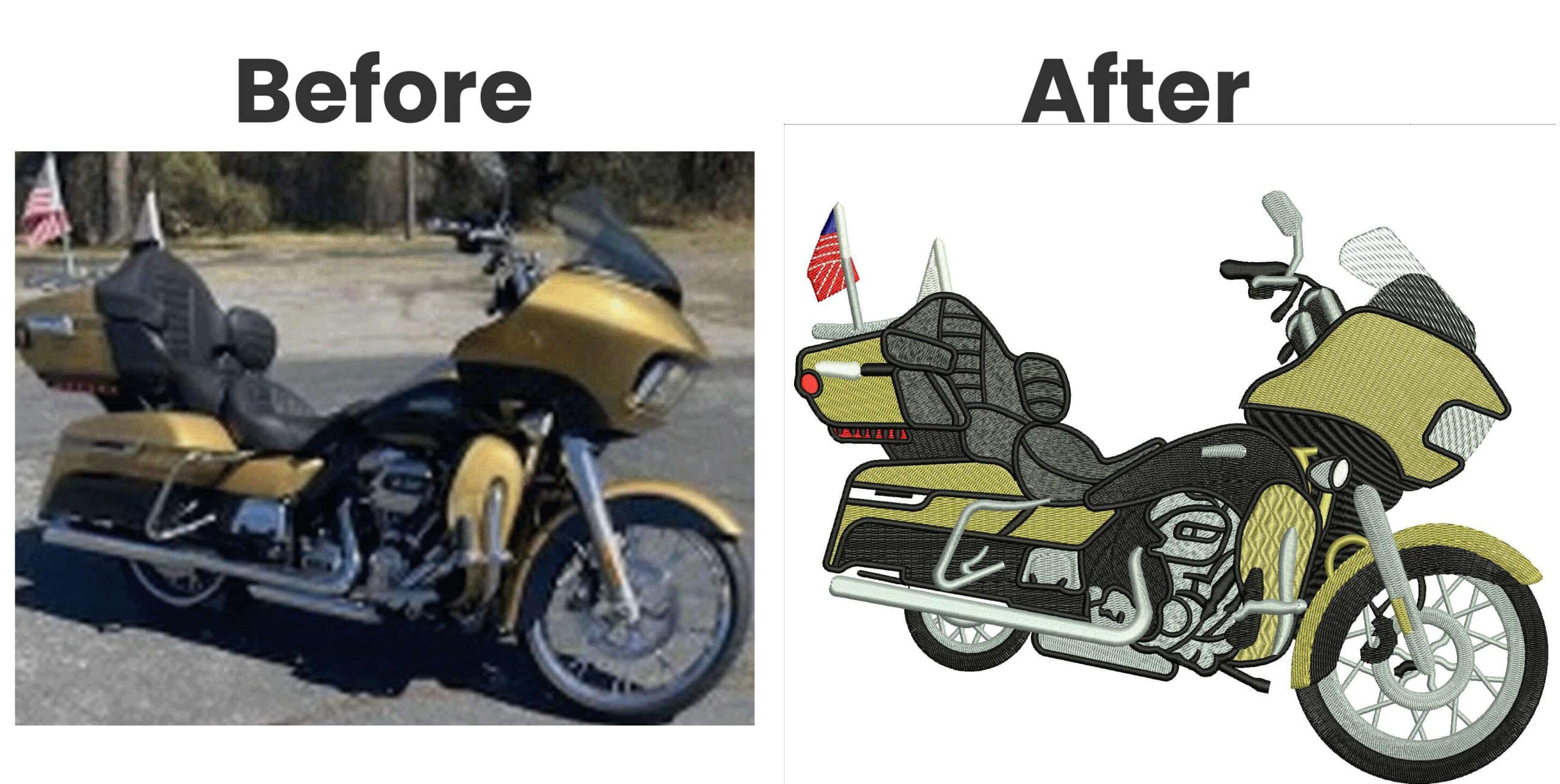
Photo Embroidery Digitizing by Absolute Digitizing
Photo embroidery is the process of converting a photograph into a machine embroidery file format that an embroidery machine can read and stitch.
Photo embroidery recreates many visual details, unlike simple designs such as logos or text. These include:
- Facial features
- Shading and light effects
- Smooth color transitions
- Depth and texture
This makes photo embroidery much more complex than basic embroidery designs.
Embroidery machines cannot read image files like JPG or PNG. Before a photo can be stitched, it must be converted into a machine embroidery file.
The most common machine embroidery file formats are the following:
- DST
- PES
- EXP
- JEF
These embroidery files contain instructions that guide the embroidery machine during stitching. They tell the machine:
- Where each stitch should be placed
- Which direction the stitches should run
- When to change thread colors
Without proper digitizing, an embroidery machine cannot interpret the image or stitch the design correctly.
Why Is Digitizing Photos So Difficult?
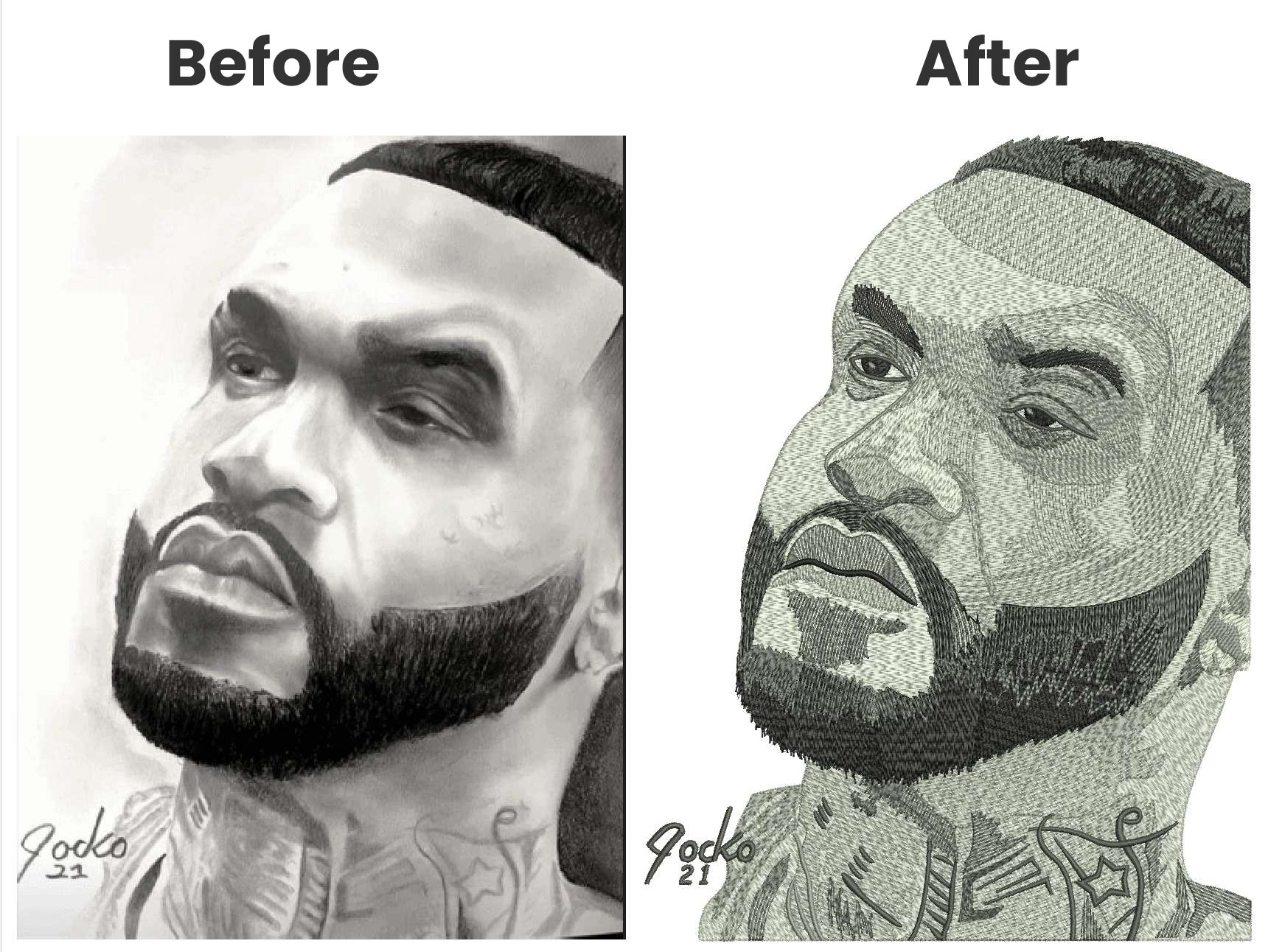
Photo digitizing By Absolute Digitizing
Digitizing photos is difficult because embroidery machines work with stitches, not pixels.
A photo can include thousands of colors and tiny details. But an embroidery machine needs clear stitch instructions, so those details must be converted into thread paths and stitch patterns.
According to Wilcom Embroidery Software, “Digitizing is the process of converting artwork into stitch data that an embroidery machine can understand.” This process becomes more complex when working with photographs because the digitizer must recreate shading, texture, and depth using stitches.
Here are the most common challenges of photo digitizing:
- Too many colors
- loss of fine deatils
- stitch density problem
- shading and texture
Too Many Colors
Photos may contain hundreds of shades. Embroidery designs must use a limited number of thread colors, so many shades have to be simplified.
Loss of Fine Details
When digitizers convert an image into stitches, they often lose small details, especially in faces, hair, and backgrounds.
Stitch Density Problems
If digitizers place stitches too close together, the design can cause:
- Fabric puckering
- Thread breaks
- Poor stitch quality
Shading and Texture
Realistic photo embroidery needs careful stitch direction and spacing to create smooth shading and depth. Auto tools usually struggle here, so digitizers must control the stitches manually.
Because of these challenges, photo embroidery usually requires manual digitizing adjustments to get clean, realistic results.


When Should You Use Professional Embroidery Digitizing Services?

Pet Photo Embroidery Digitizing
If you want high-quality photo embroidery, professional digitizing can save you time and frustration. Photo designs often need careful stitch planning, and a small mistake can lead to poor stitching results.
When Professional Digitizing Helps Most
Professional services are especially helpful when you need to:
- Convert detailed photos into embroidery designs
- Create portrait embroidery with facial details and shading
- Digitize complex artwork with many textures and color changes
- Prepare files for commercial embroidery machines and production runs
Experienced digitizers know how to translate images into embroidery machine stitches that sew cleanly, smoothly, and consistently across different fabrics and machines.
Frequently Asked Questions (FAQ)
Can software automatically convert a photo to embroidery?
Some embroidery software can attempt to convert photos into stitches using auto-digitizing tools. However, the results usually require manual editing to improve stitch direction, density, and shading.
What is the best file format for embroidery machines?
Common embroidery file formats include DST, PES, EXP, JEF, and VP3. The best format depends on the brand and model of the embroidery machine.
Why does photo embroidery sometimes look distorted?
Photo embroidery can look distorted when stitch density, stitch direction, or underlay settings are not optimized during digitizing.
Key Takeaways
- Photo embroidery digitizing converts a photograph into a stitch file that embroidery machines can read and stitch.
- Auto-digitizing tools can assist with the process, but they often struggle with shading, fine details, and overall stitch quality.
- Realistic photo embroidery usually requires manual digitizing, where experts control stitch direction, density, and shading.
- Professional digitizing helps achieve cleaner and more accurate results, especially for detailed or complex photo designs.
If you want your photo embroidery to capture realistic shading, depth, and facial details without thread breaks or messy stitches, working with best digitizing services can save time and costly mistakes. At Absolute Digitizing, our expert digitizers manually convert photos into clean, machine-ready embroidery files optimized for smooth stitching and high detail.
Get your photo digitized now at Absolute Digitizing and see the difference.