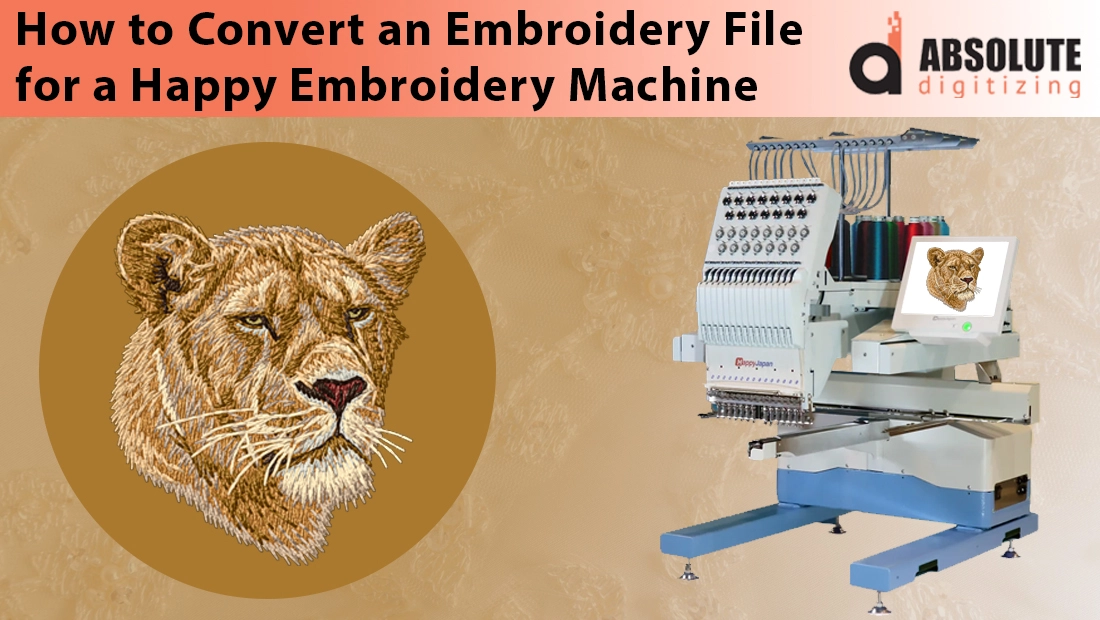
When you own a Happy embroidery machine, one of the first things you discover is that not every design file can be loaded straight into the system. File conversion becomes a crucial step, especially if you want your machine to read the design correctly and stitch it with precision. For business owners, this means avoiding wasted time, spoiled garments, and costly errors. For hobbyists, it means enjoying a smooth stitching process without frustration.
Happy embroidery machines have earned a strong reputation in the embroidery world. They are known for reliability, durability, and the ability to handle both small custom orders and large production runs. That is why many businesses around the globe trust Happy machines as the backbone of their embroidery setup.
The challenge arises when design files are provided in embroidery file formats like PES, EMB, or even basic artwork such as JPG or PNG. Since Happy machines rely on DST files, these must be converted properly before stitching. Without conversion, the results can be disappointing and lead to errors.
This guide will walk you through everything you need to know about converting embroidery files for Happy embroidery machines. From understanding file formats to exploring software tools and professional solutions, you will find a clear path to flawless results.
The Standard File Format for Happy Machines

Happy embroidery machines, like many other commercial models, are designed to work primarily with .DST files, also known as the Tajima format. This format has become the industry standard because it is widely supported across nearly all commercial embroidery machines. The DST file contains essential stitch instructions, such as where each stitch begins and ends, trims, and jumps. Since Happy machines are built for professional use, relying on DST ensures smooth operation and compatibility.
Source Formats vs Machine Formats
It is important to understand the difference between design or source formats and machine formats. Source formats, such as EMB, CND, PES, or ART, are editable files created in embroidery software. These files store extra details like object properties, stitch density settings, underlay, and color information that digitizers use during the design process. Machine formats like DST, on the other hand, strip away this editing flexibility and focus only on providing stitch commands that the machine can follow during production.
Risks of Using Non-Compatible Files
If you try to load a file directly in an incompatible format without converting it to DST, several problems can occur. The machine may reject the file completely, or worse, it might misinterpret the instructions, leading to poor stitch quality, alignment errors, or even thread breakage. In some cases, valuable garments or materials can be ruined. For this reason, proper conversion to DST before using a Happy embroidery machine is essential to achieve accurate and professional results every time.
Different File Types Customers Provide
Imagine a customer sends you a design in PES, EMB, or even a simple image format like PNG or JPG. While the artwork might look perfect on the screen, your Happy embroidery machine cannot process these formats directly.
Why Happy Machines Require DST

Happy machines rely on the DST format, which contains precise stitch instructions. These include where stitches start and stop, when to trim threads, and how color changes should be applied. Without DST, the machine has no way of understanding the design accurately.
How Conversion Helps
Converting to DST is not just about changing a file extension. The process ensures all stitch data, trims, jump stitches, and color sequences are mapped out in a way the Happy machine can read. This makes the embroidery run smoothly from start to finish.
Preventing Costly Errors
Skipping conversion or using the wrong format can cause serious problems, such as misaligned designs, broken threads, uneven stitch density, and poor overall quality. Proper conversion eliminates these risks and guarantees that what you see in the software is exactly what will stitch on the garment.
Methods of File Conversion
a) Using Embroidery Software
One of the most reliable ways to convert embroidery files for Happy machines is through professional embroidery software. Popular programs include Wilcom Embroidery Studio, Hatch, Pulse, Embrilliance, and SewArt. These tools allow you to open various design formats such as PES, EMB, or ART, then export the design into the required DST format. The benefit of software-based conversion is the level of control it provides. You can adjust stitch density, underlay, thread paths, and other design details before saving the file.
The main advantage of using embroidery software is accuracy. Since you are working directly with the editable design, you can ensure the DST file maintains the original quality. However, there are downsides. Professional programs are expensive and can cost hundreds or even thousands of dollars. They also come with a steep learning curve, which means you need training and practice before achieving flawless results.
b) Using Free Tools
For those who want a quick fix, there are free online converters and lightweight embroidery programs. These tools allow you to upload a file and download it in DST format within minutes. While this sounds convenient, the results are not always reliable. Common issues include incorrect stitch density, missing trims, or messed-up color sequences.
Free tools may work for simple designs, quick tests, or hobby projects where minor imperfections do not matter. However, they are not recommended for professional use where precision and quality are critical.
c) Outsourcing to Professional Digitizers
Another effective method is outsourcing the task to a professional embroidery digitizing service. Experienced digitizers know how to convert files accurately while also optimizing them for Happy machines. Services like Absolute Digitizing provide fast turnaround, 24/7 support, unlimited edits, and even rush delivery within two hours.
Outsourcing is often more cost-effective than purchasing expensive software, especially for businesses that only need conversions occasionally. For as little as $10 per logo, you can have a DST file ready for production without the hassle of learning new software or risking errors. This makes professional digitizing a smart and stress-free option for many embroidery businesses.
Step-by-Step: Converting a File for Happy Machine
Step 1: Open the Design
Start by opening your embroidery design in professional software such as Wilcom, Hatch, or Embrilliance. If you do not own software, you can send the design to a professional digitizer who will handle the conversion for you.
Step 2: Adjust Design Settings
Before exporting, check the design details. Adjust stitch density, underlay, and size according to the fabric and hoop size you plan to use. Proper adjustments help prevent issues like puckering, thread breaks, or uneven coverage.
Step 3: Assign Thread Colors
Since DST files do not store exact color information, you need to manually assign thread colors that match the ones used in your Happy embroidery machine. This step ensures the design looks as close as possible to the original artwork.
Step 4: Export as DST
Once the design is ready, save or export it in DST format, which is the file type Happy machines read. Double-check that the export settings are correct to avoid missing stitches or trims.
Step 5: Transfer to the Machine
Use a USB stick, network connection, or another supported transfer method to load the DST file into your Happy machine.
Step 6: Run a Test Stitch
Before starting bulk production, always run a test stitch on scrap fabric. This allows you to confirm alignment, density, and overall quality. Making small tweaks at this stage saves time and prevents costly mistakes on customer garments.

Best Practices for Smooth Conversion
Keep the Original Editable File
Always save and store the original editable file, such as EMB, CND, or other source formats. These files allow you to make adjustments later without losing quality. Once a file is converted to DST, editing options become limited.
Use the Right Materials
Smooth conversion alone will not guarantee perfect results if the wrong supplies are used. Make sure to select the correct needle size, stabilizer type, and a trusted thread brand. These choices play a big role in preventing thread breaks, puckering, and poor stitch quality.
Update Your Machine Regularly
Happy machines, like other modern embroidery systems, often receive software or firmware updates. Keeping your machine updated ensures better compatibility with new file versions and helps avoid technical glitches during production.
Work with Skilled Digitizers
For complex logos, detailed images, or large-scale designs, it is always best to rely on experienced digitizers. Professional digitizers understand how to prepare a file that will run smoothly on Happy machines, saving you time, fabric, and frustration.
Why Professional Digitizing is the Smart Choice
Peace of Mind
Professional digitizing eliminates the stress of trial-and-error. Instead of guessing settings or risking errors, you can trust that your file will be prepared correctly for your Happy embroidery machine the first time. This saves garments, time, and frustration.
Cost-Effective Solution
Investing in embroidery software can cost hundreds or even thousands of dollars. By comparison, services like Absolute Digitizing start at just $10 per logo. For most businesses, this is far more practical, especially if file conversion is not a daily need.
Fast Turnaround
Professional services also save valuable time. Standard turnaround ranges from 2 to 12 hours, and rush orders can be delivered in as little as 2 hours with a small extra fee. This ensures you never have to postpone a customer order due to file delays.
Free Edits and Guarantees
Absolute Digitizing provides free edits until you are completely satisfied, plus a money-back guarantee. This means you never have to settle for anything less than perfect.
Reliable Support and Discounts
With 24/7 live chat support, glowing customer testimonials, and bulk discounts for larger orders, professional digitizing services offer consistent quality and customer care.